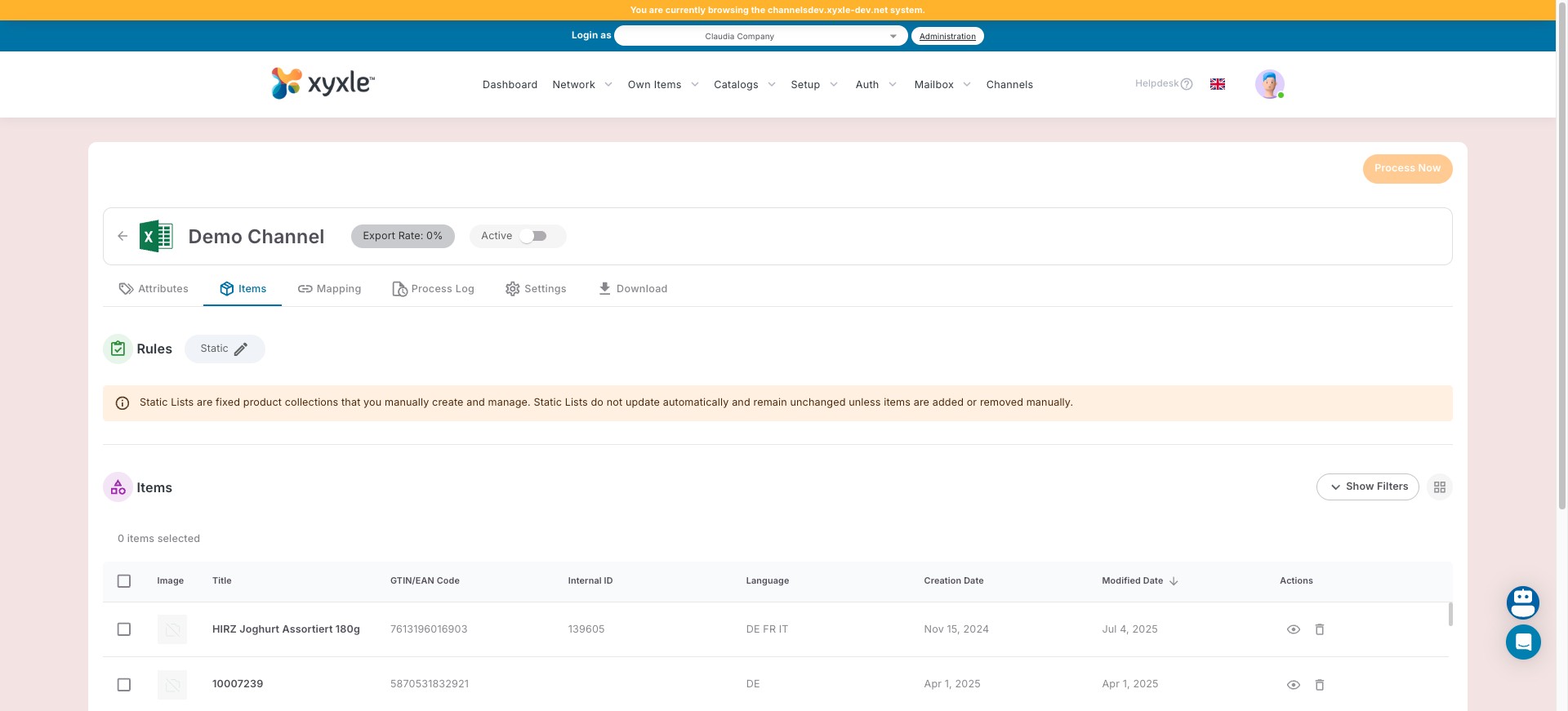
Items static list
Aug 04, 2025●
1
Navigate to the Channel section and pick a channel you have created.
2
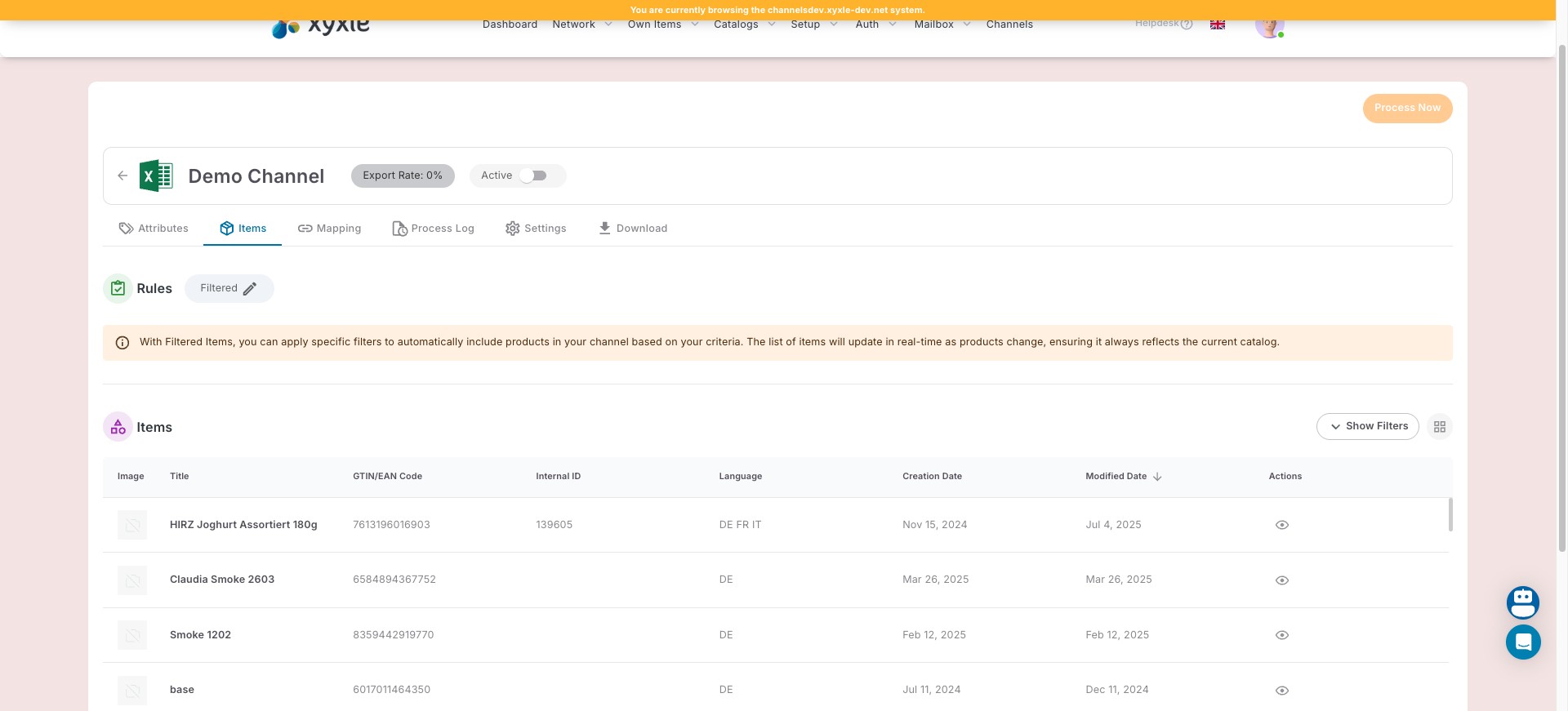
Go to Items. Click on "Filtered".
3
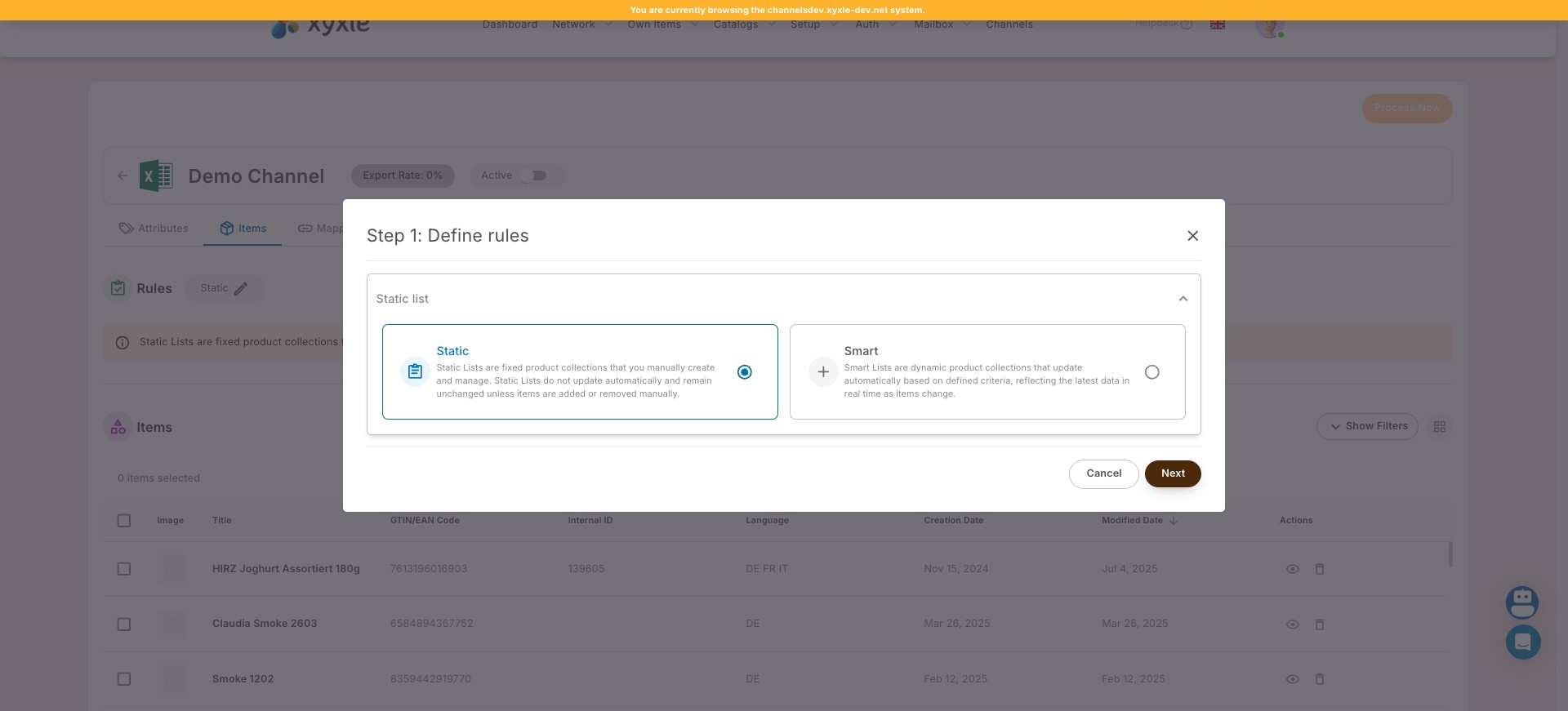
Click on the Static list then Next.
4
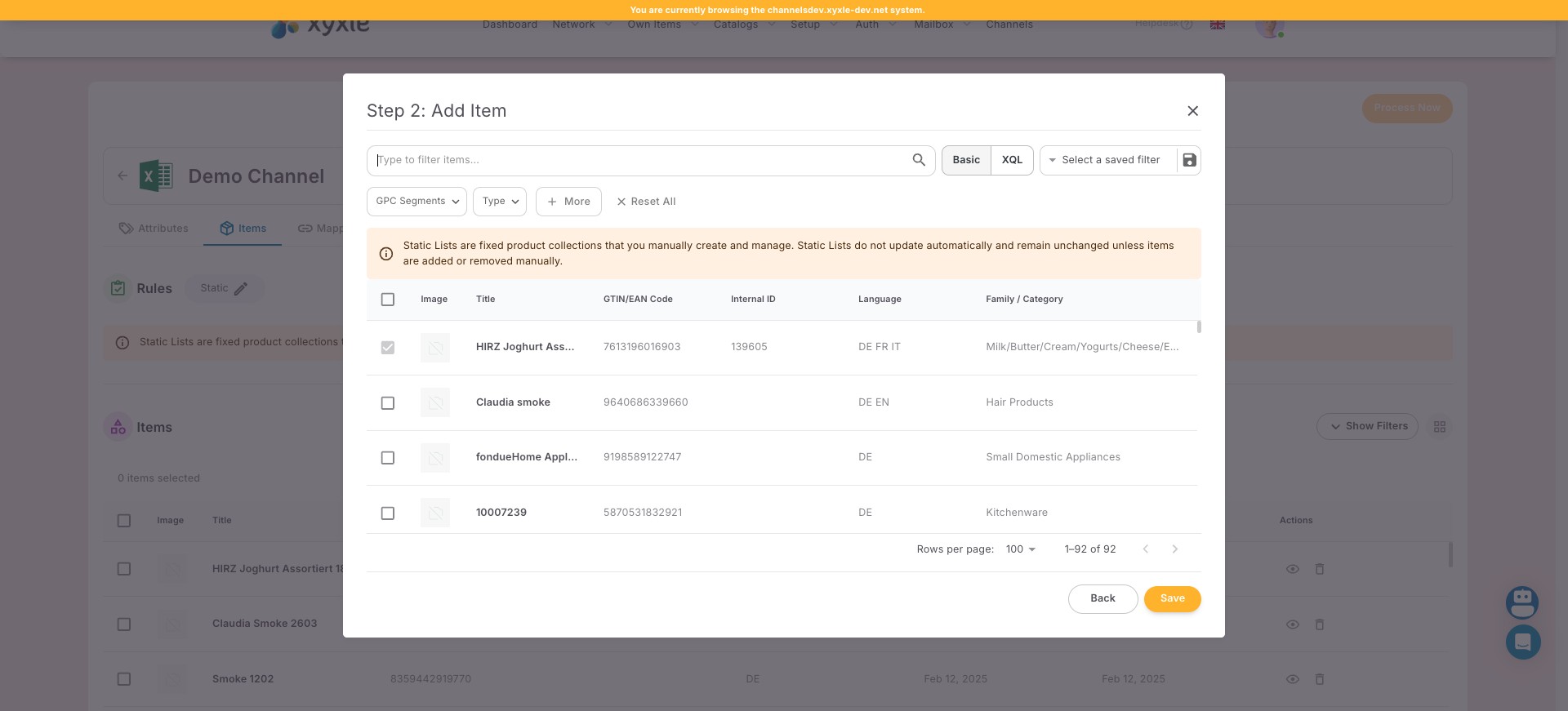
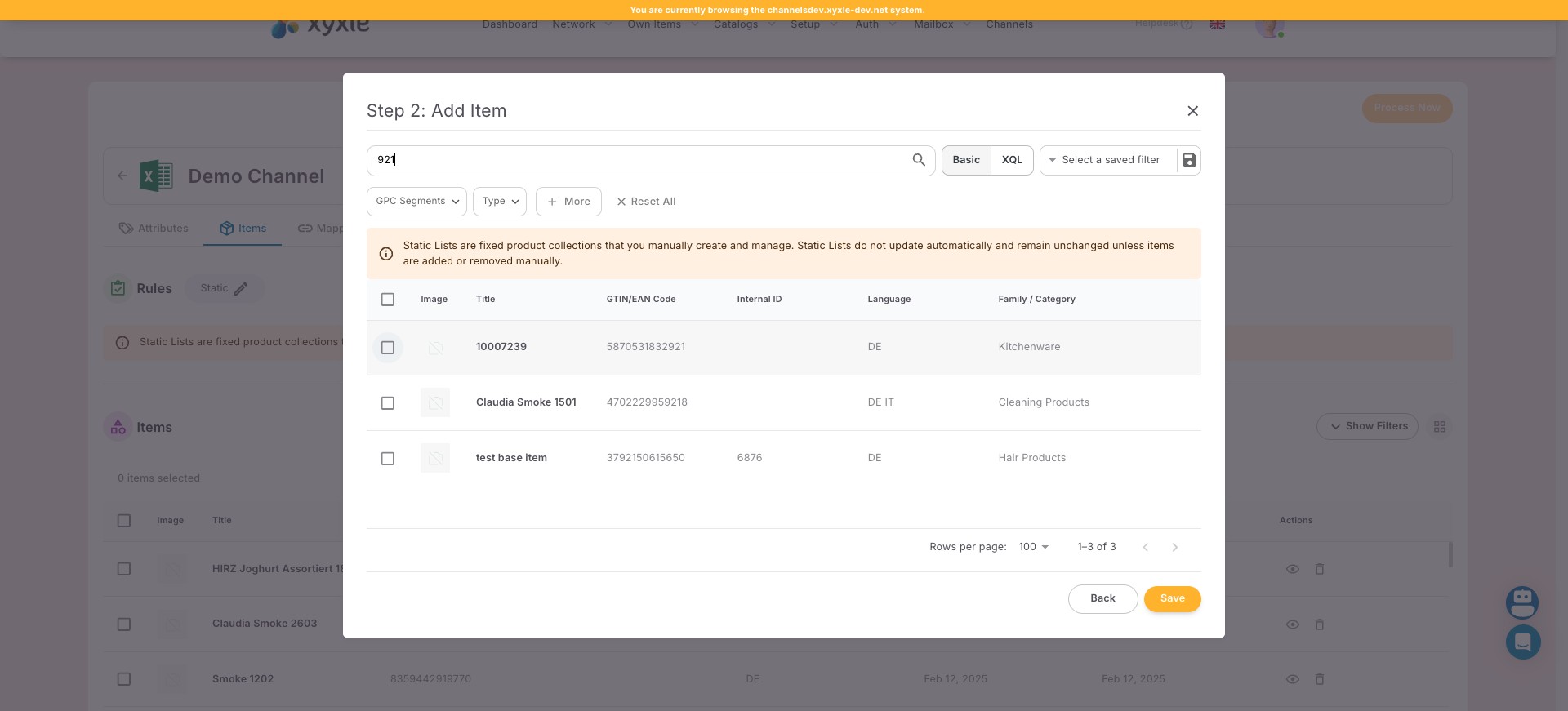
Click here to filter the articles, if you need.
5
Click here to choose the the articles you need.
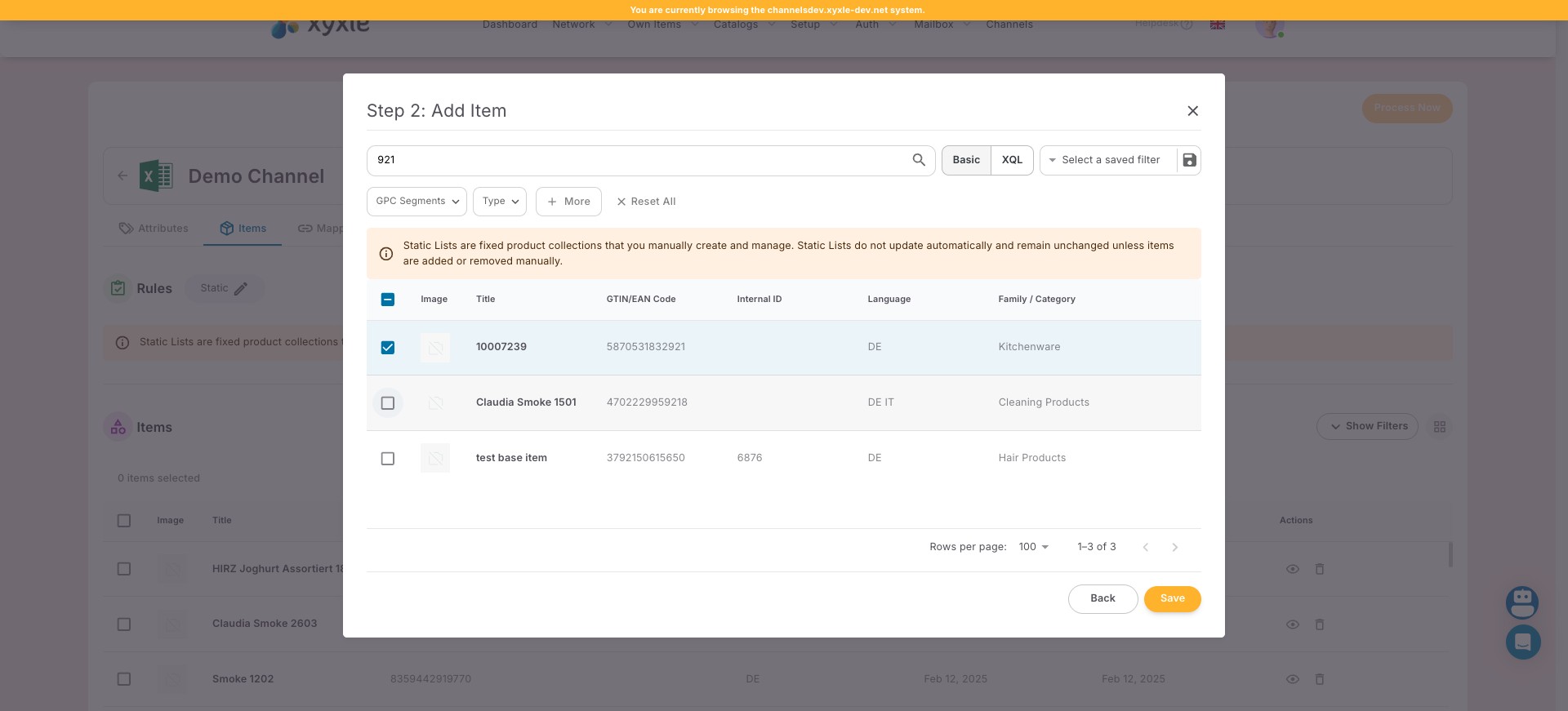
6
Click here to select multiple articles.
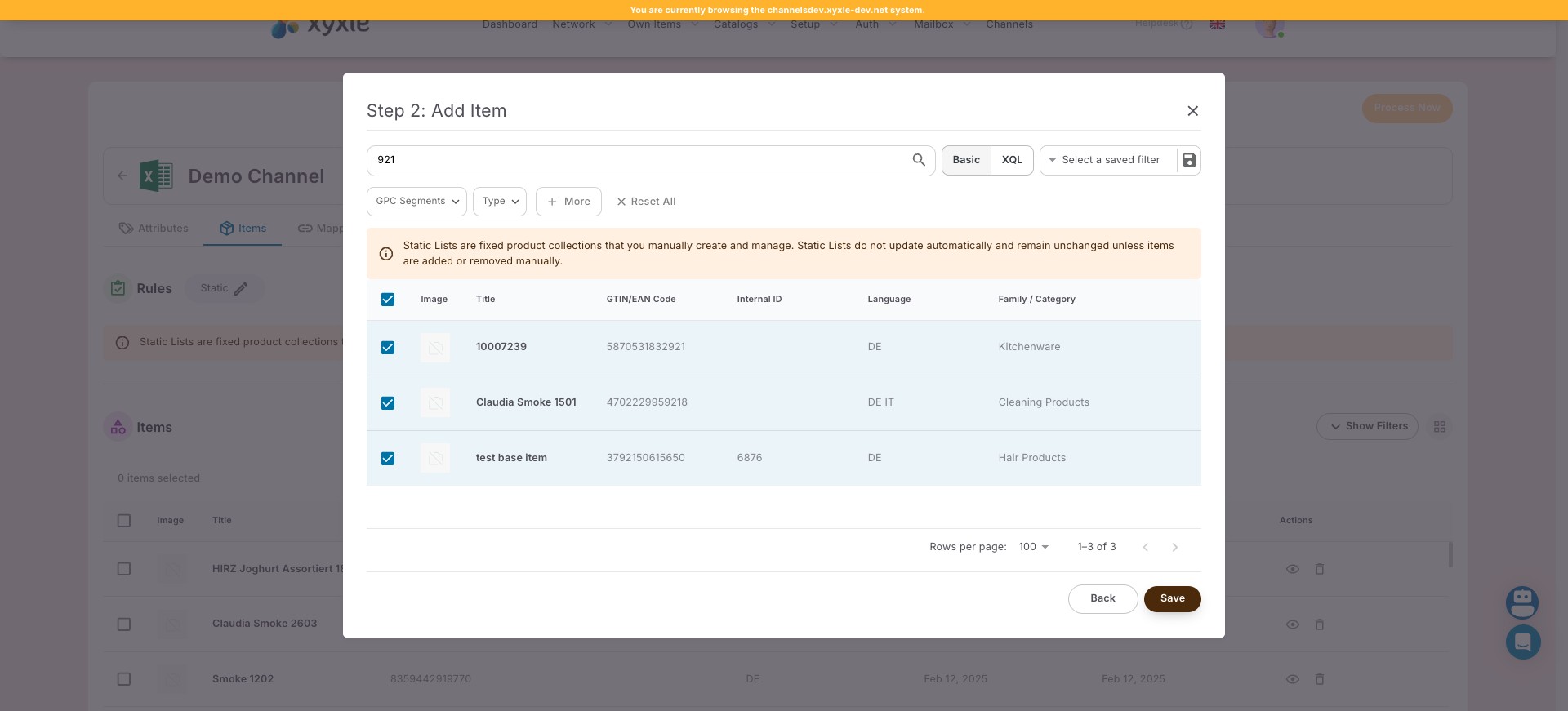
7
Click on "Save"
8
Done 🚀 Now all your articles are added in this channel.