logo

How to change rules for items

1

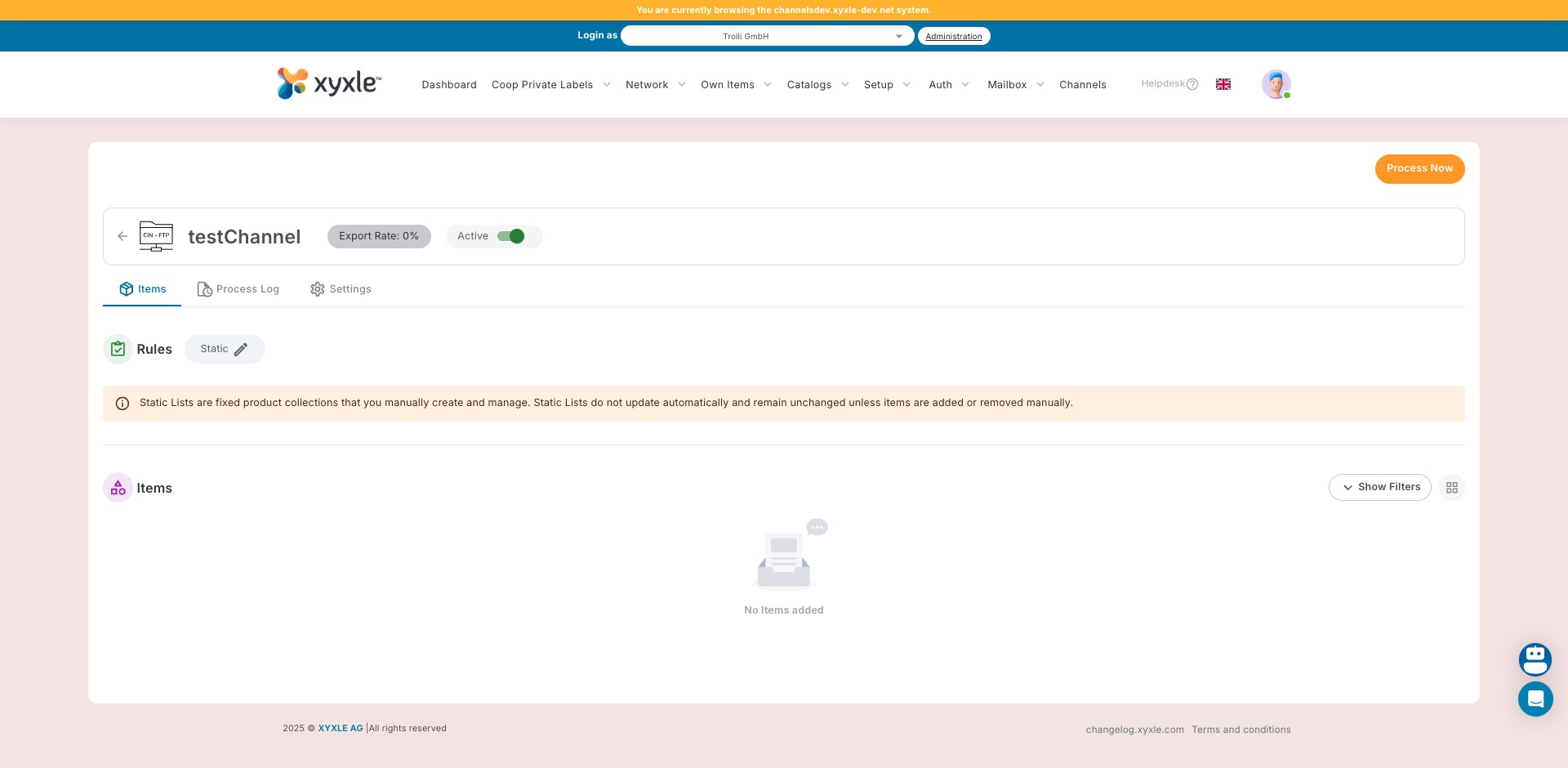
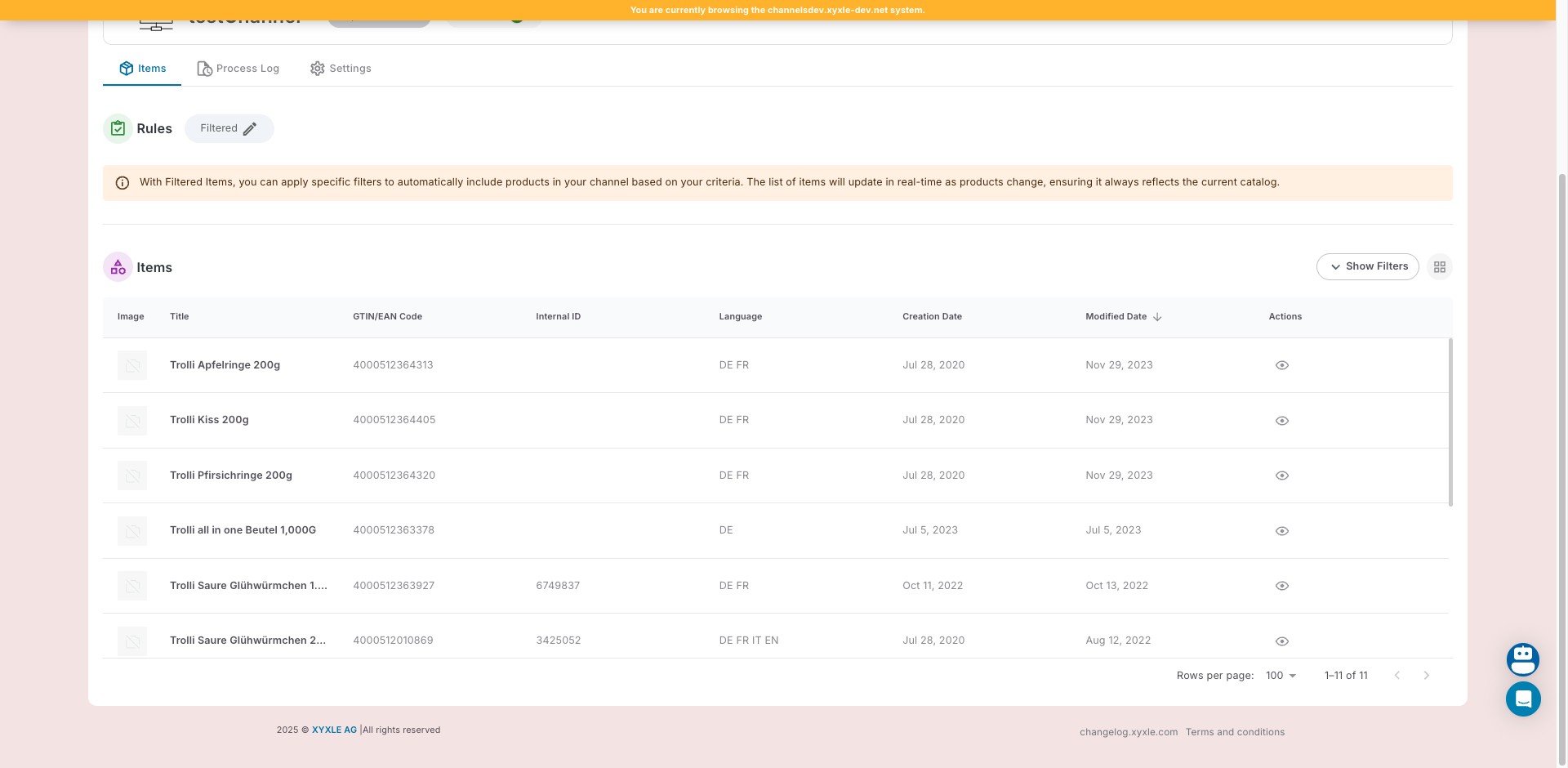
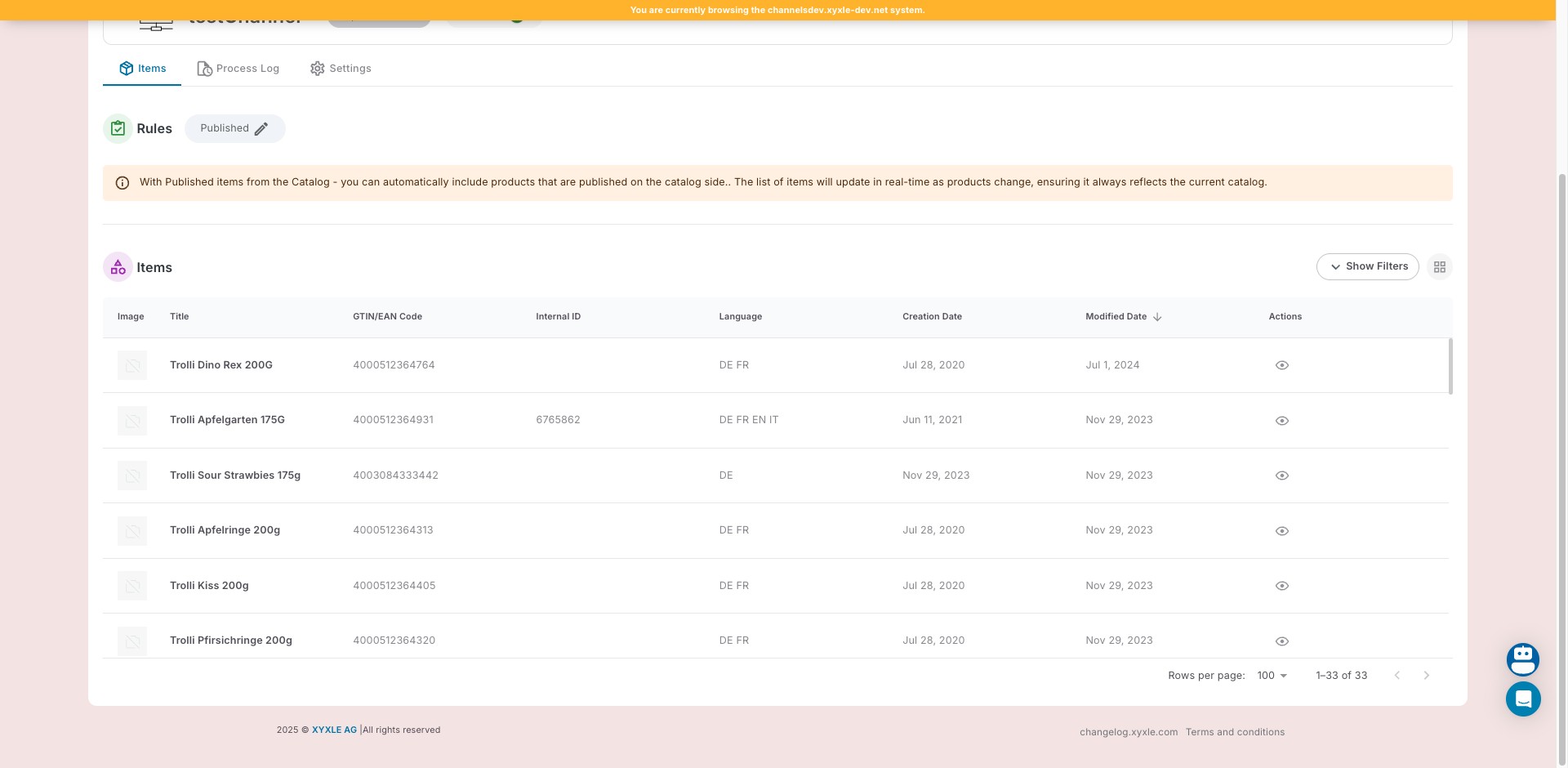
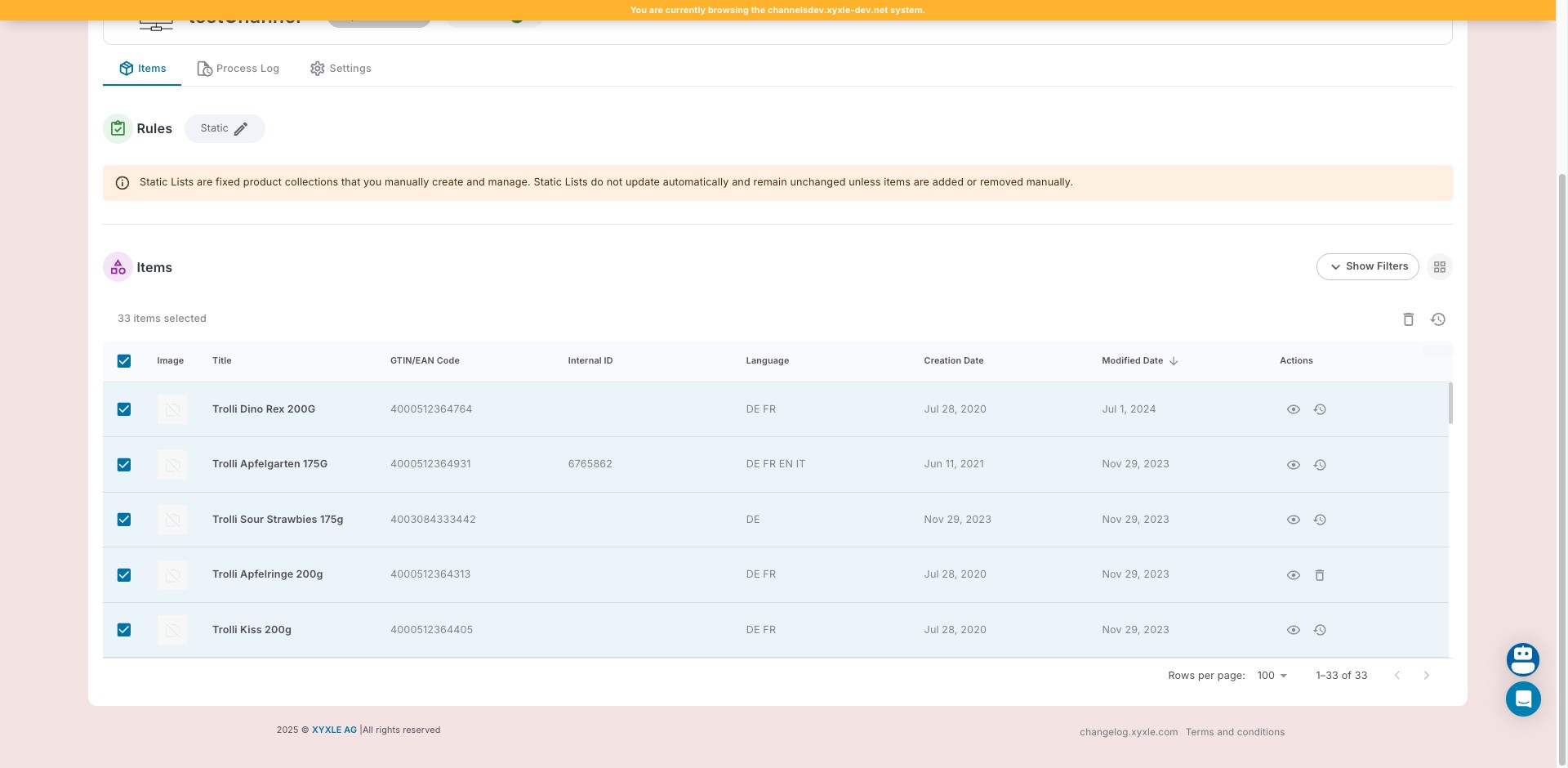
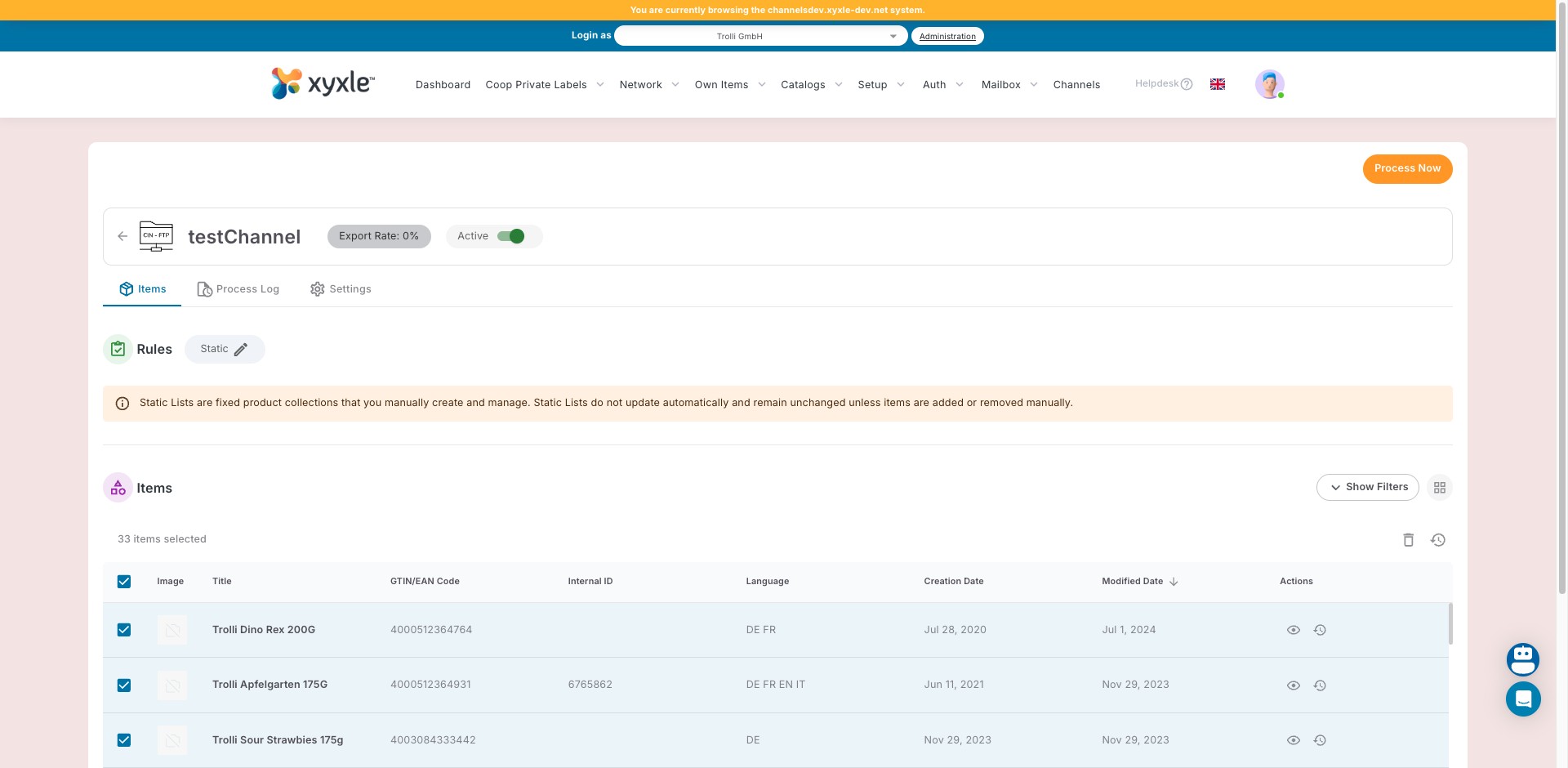
Navigate to Channels section and selected a desired channel.

2

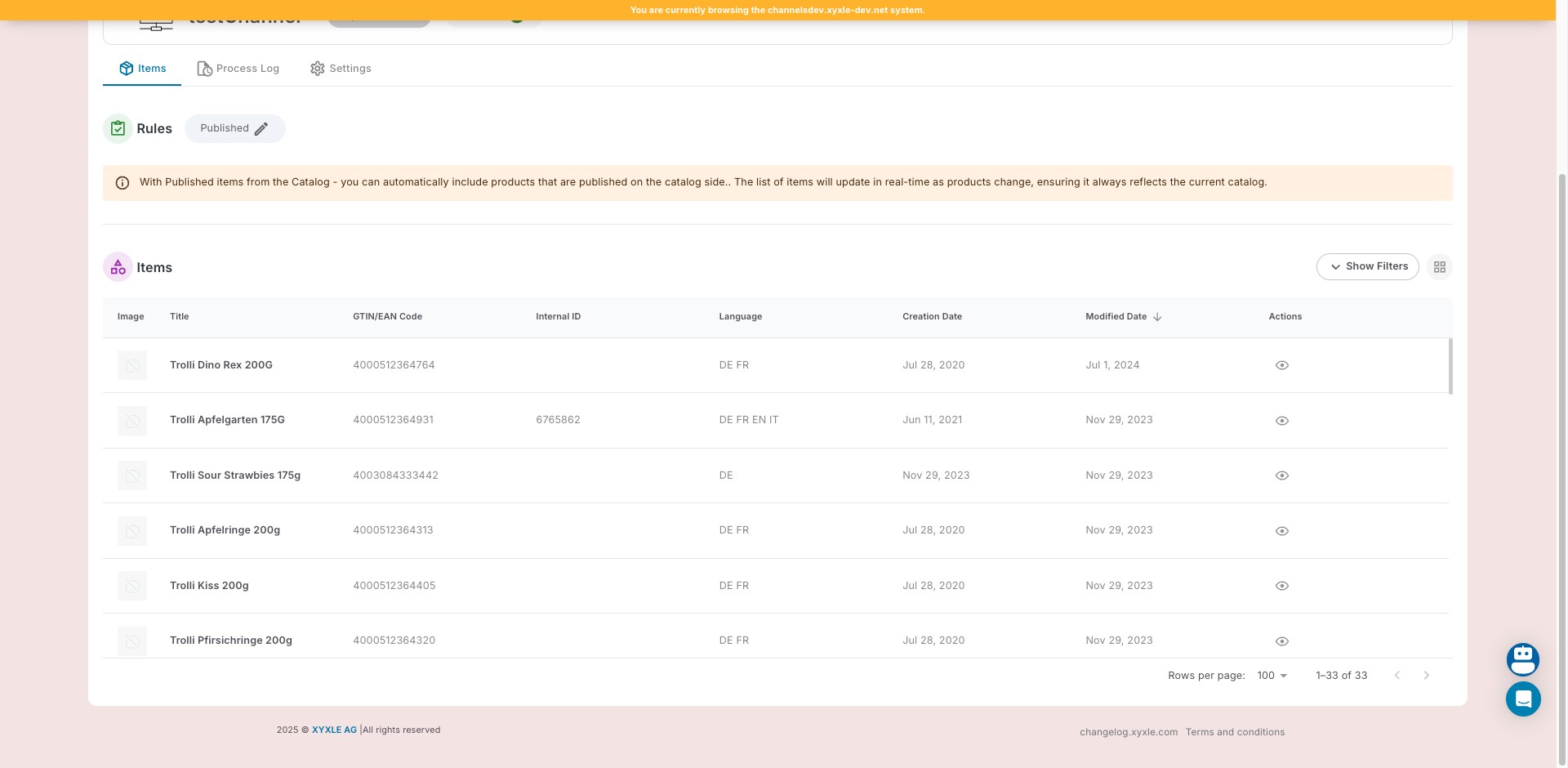
Click on "Static" in the Rules tab.

Click on "Static" in the Rules tab.
3

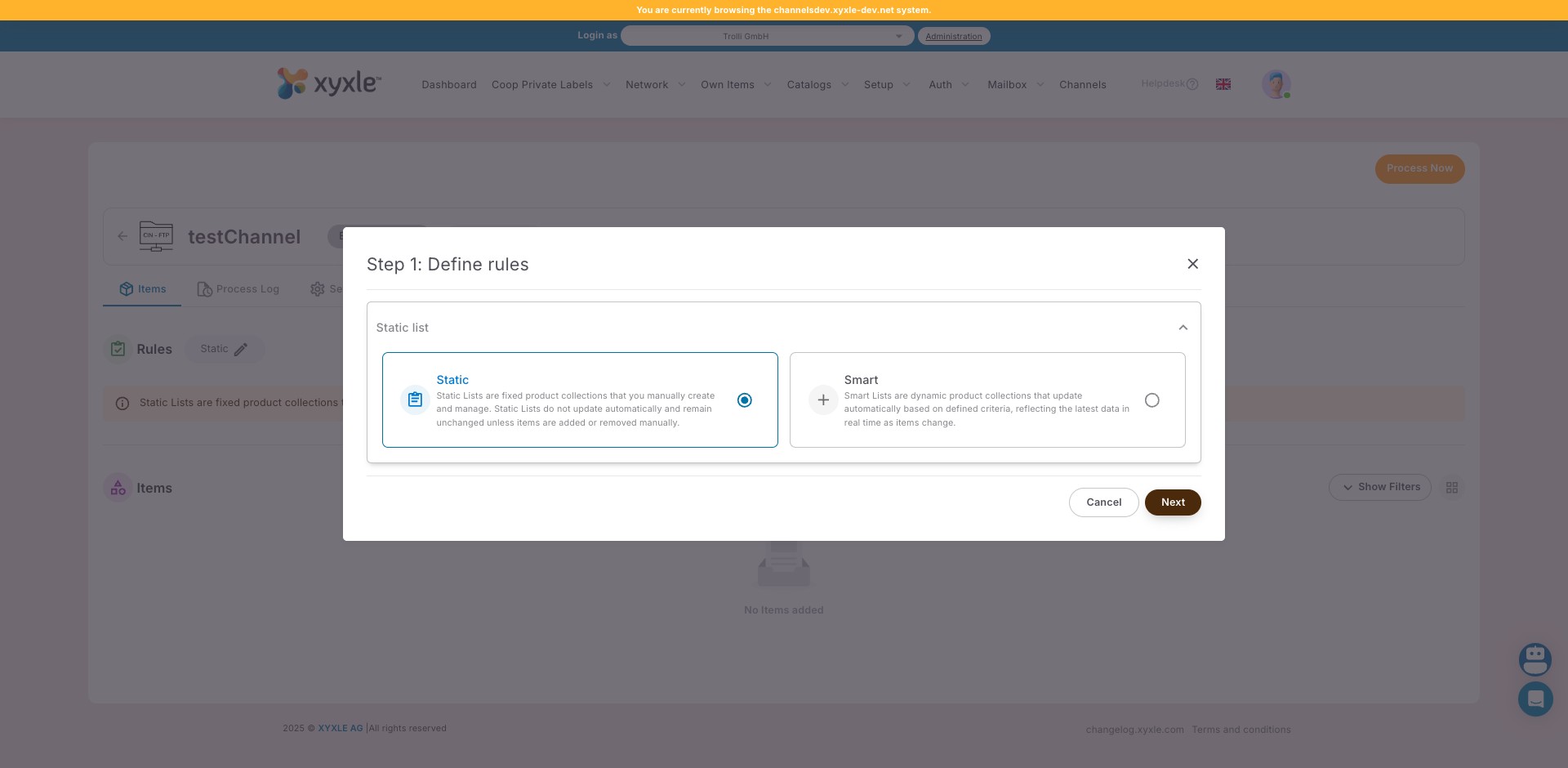
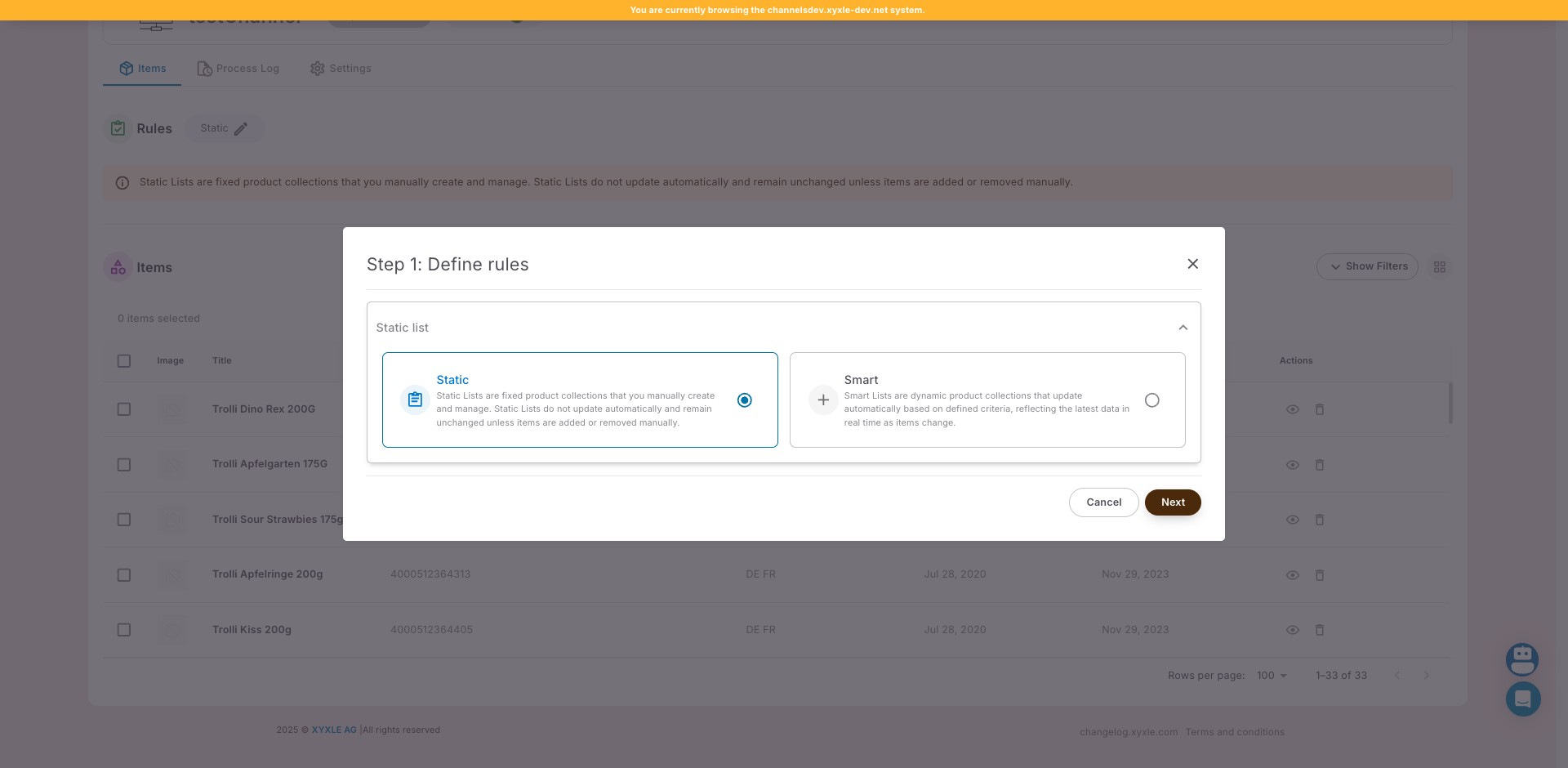
Click on Static then next.

Click on Static then next.
4

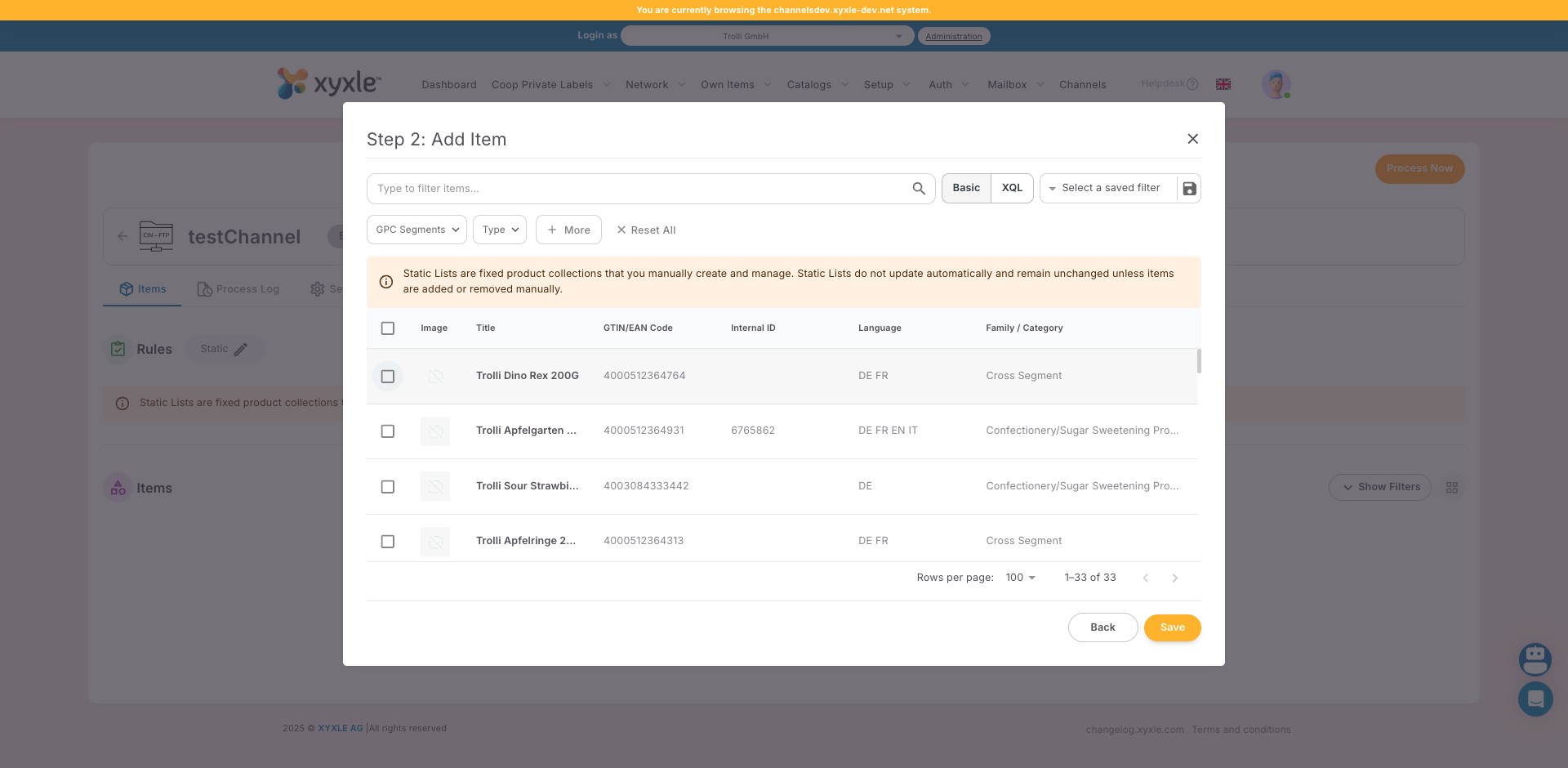
Click here

Click here
5

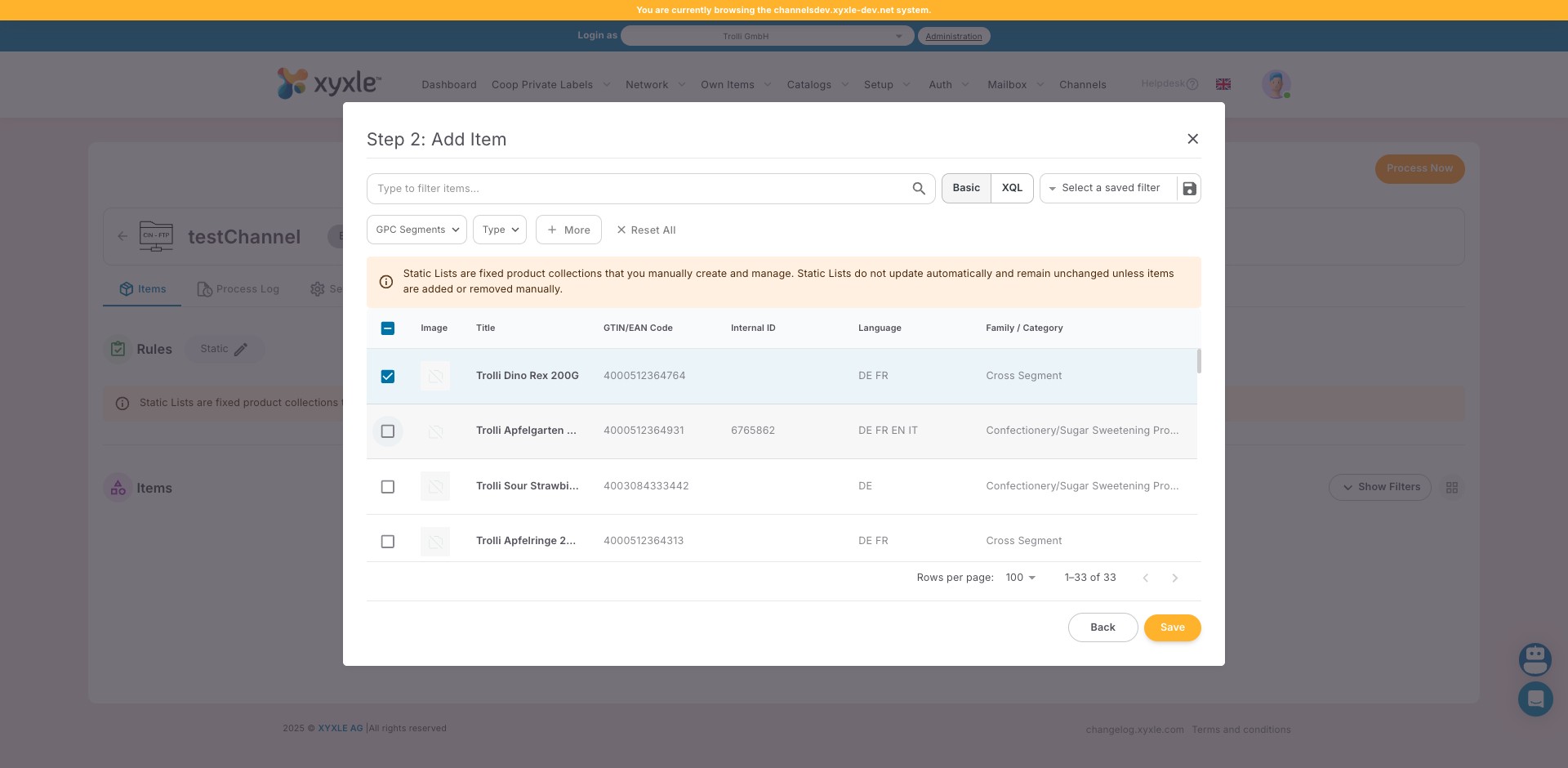
Click here

Click here
6

Click here

Click here
7

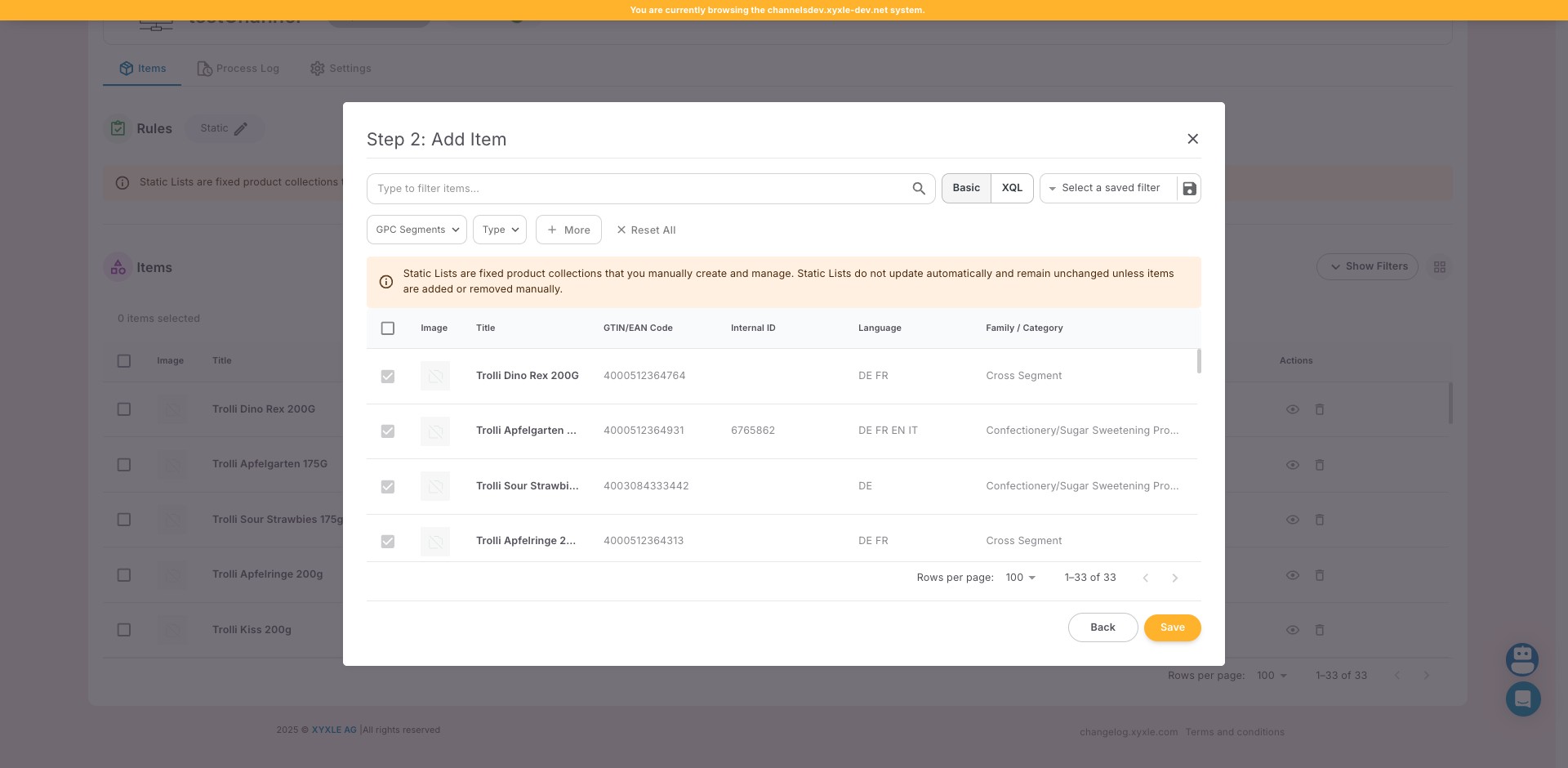
Click on "Save"

Click on "Save"
8

Click here

Click here
9

Click this icon

Click this icon
10

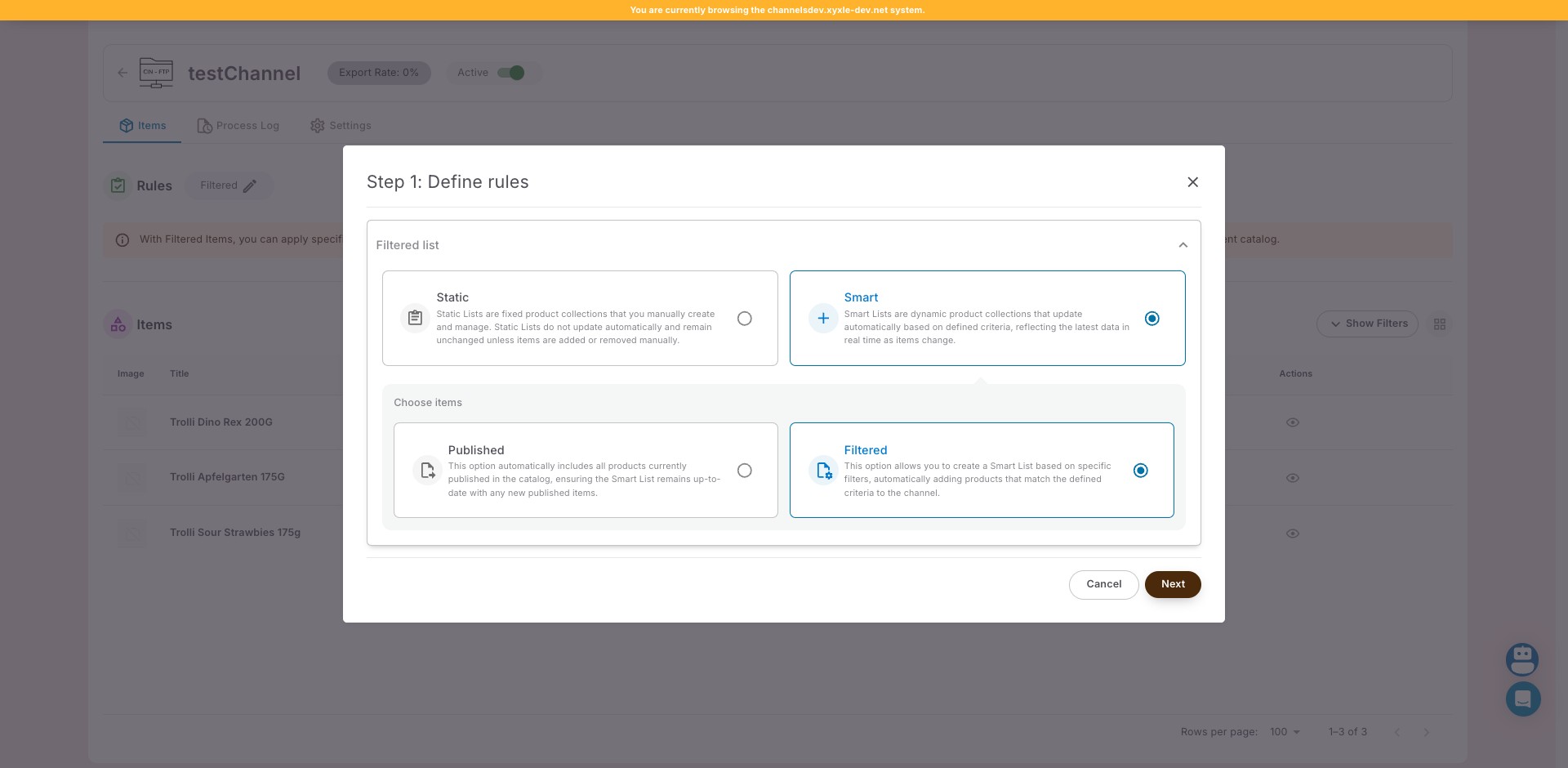
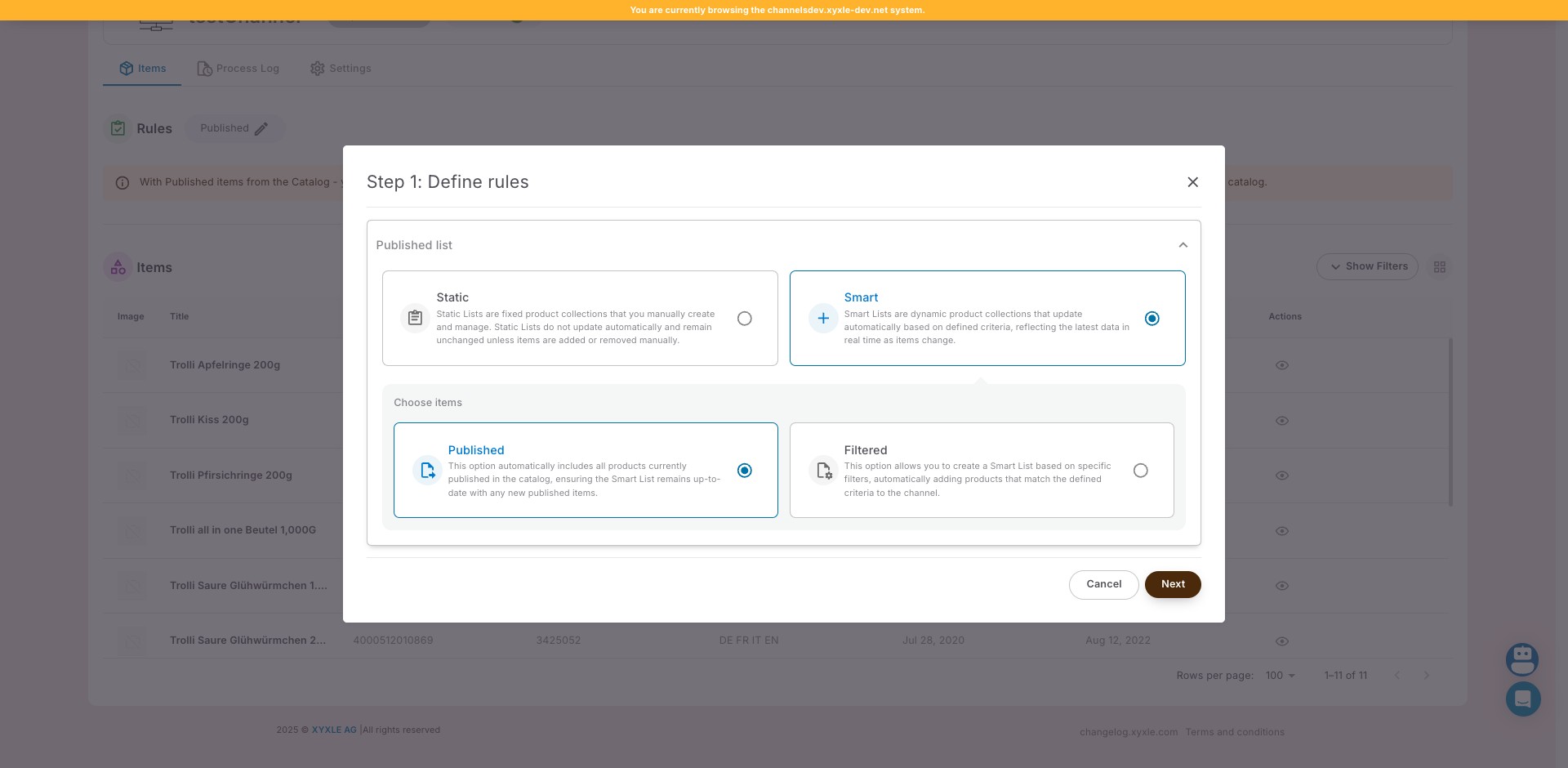
Click on "Smart Lists are dynamic product collections that u"
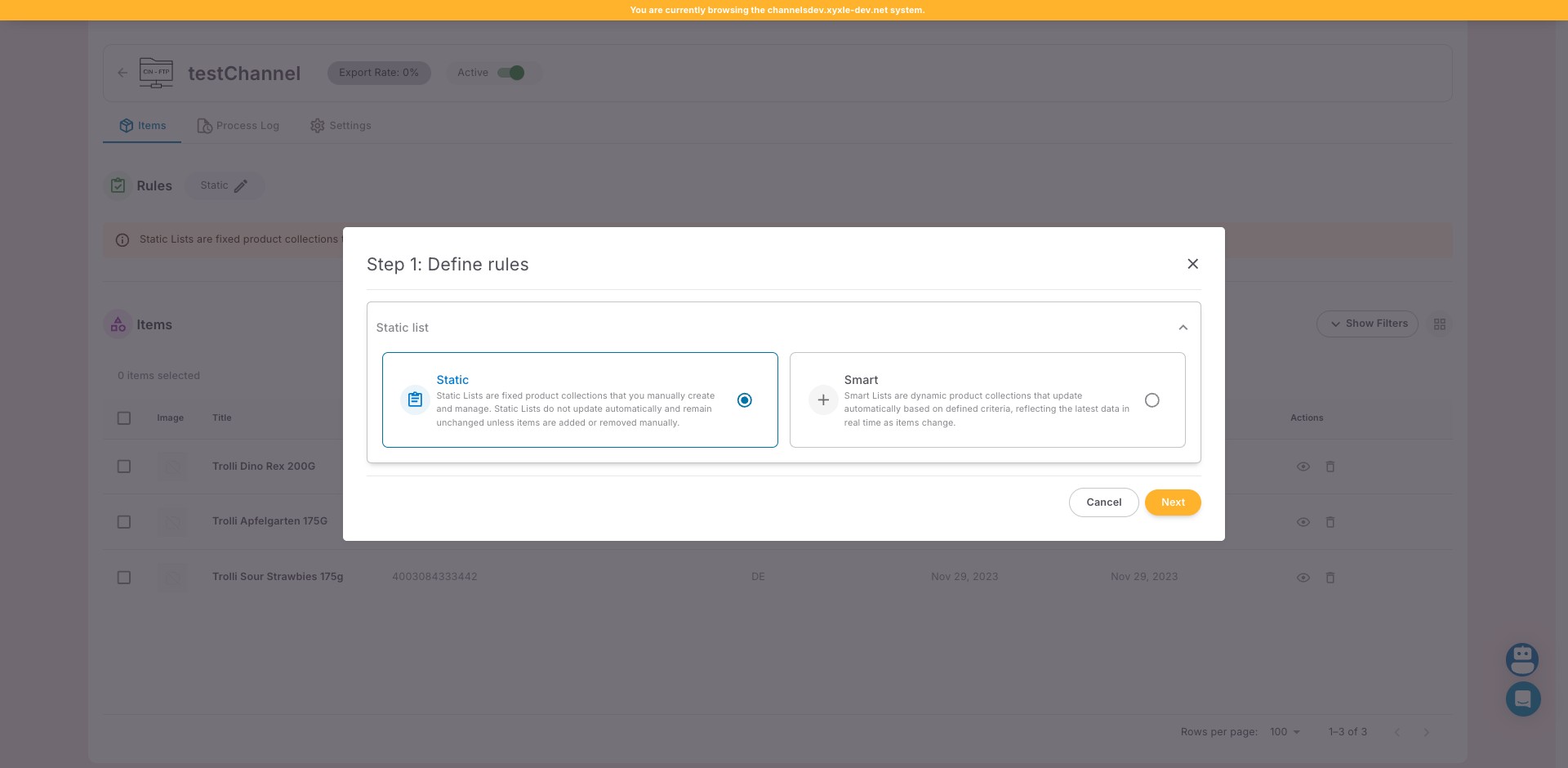
Click on "Smart Lists are dynamic product collections that u"
11

Click on "This option allows you to create a Smart List base"
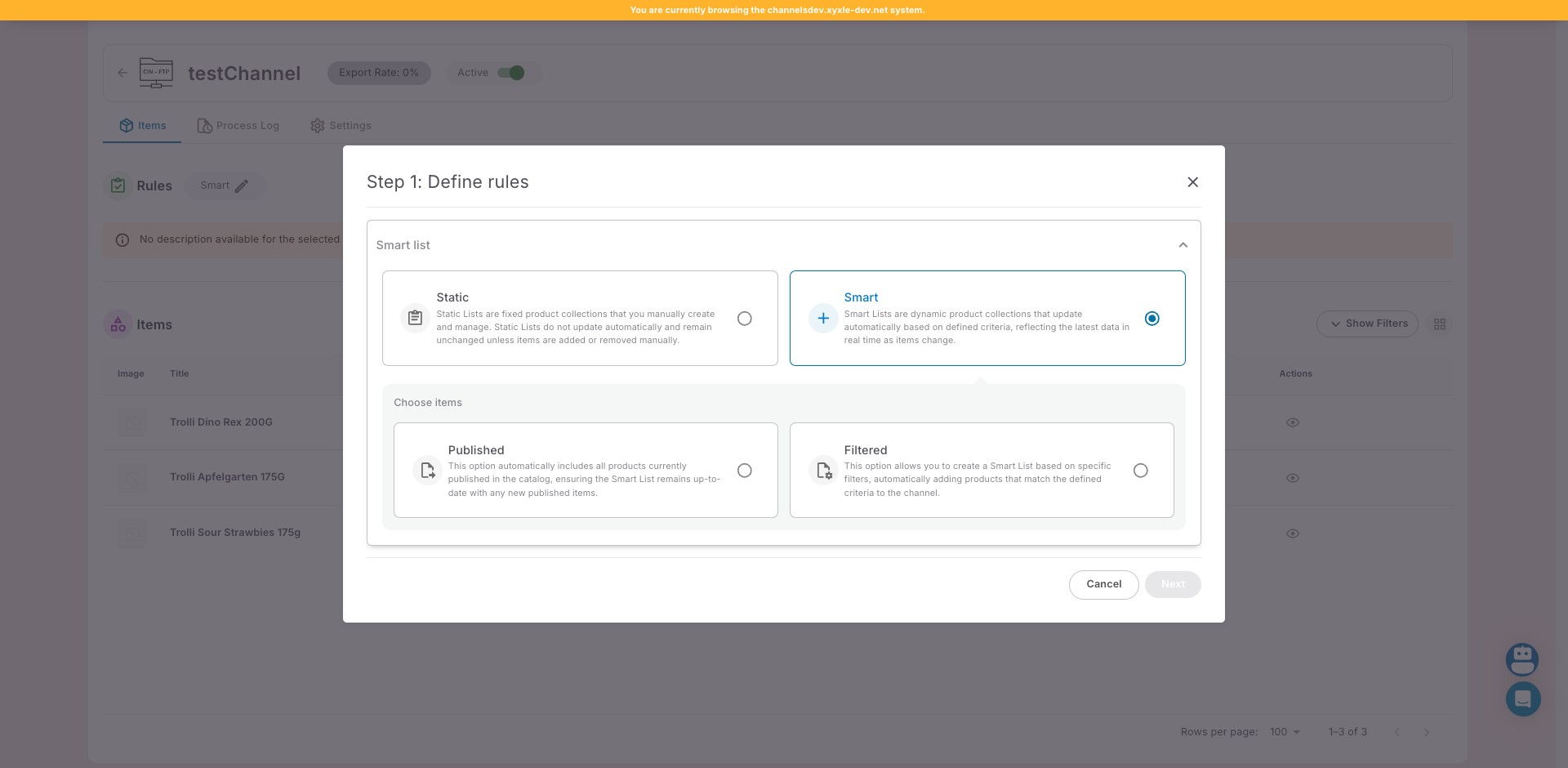
Click on "This option allows you to create a Smart List base"
12

Click on "Next"

Click on "Next"
13

Click here

Click here
14

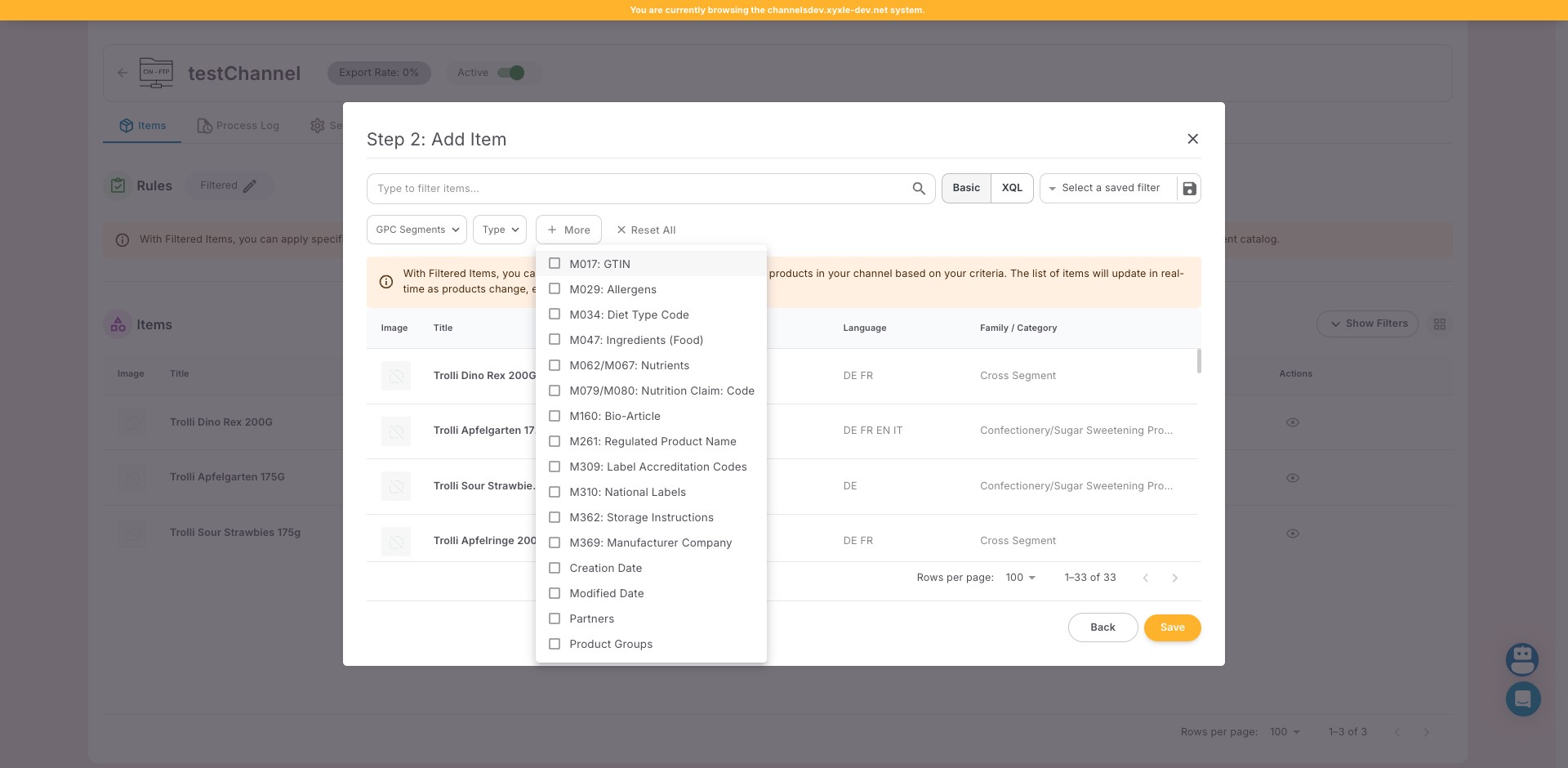
Click this icon

Click this icon
15

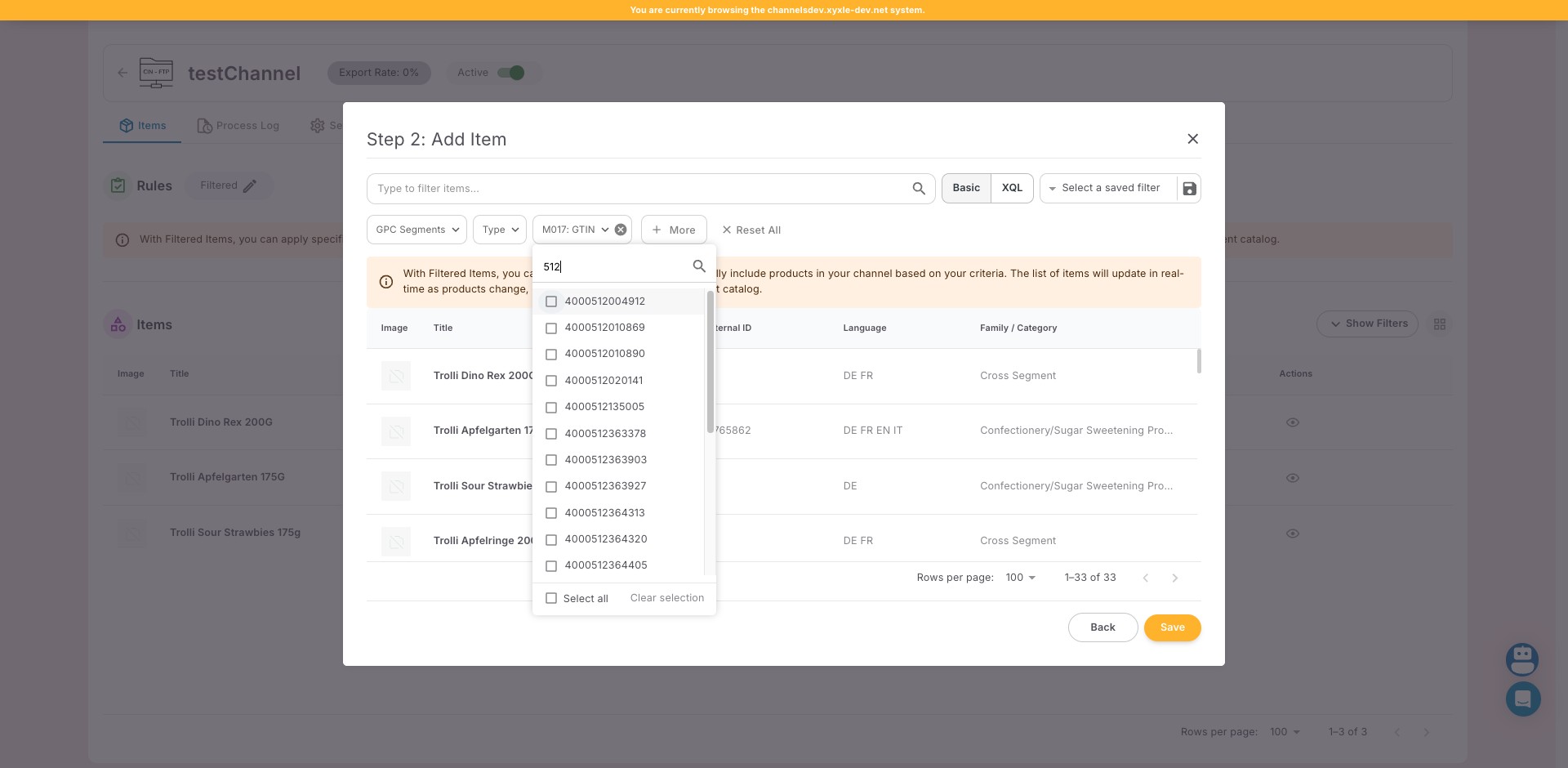
Click on "M017: GTIN"

Click on "M017: GTIN"
16

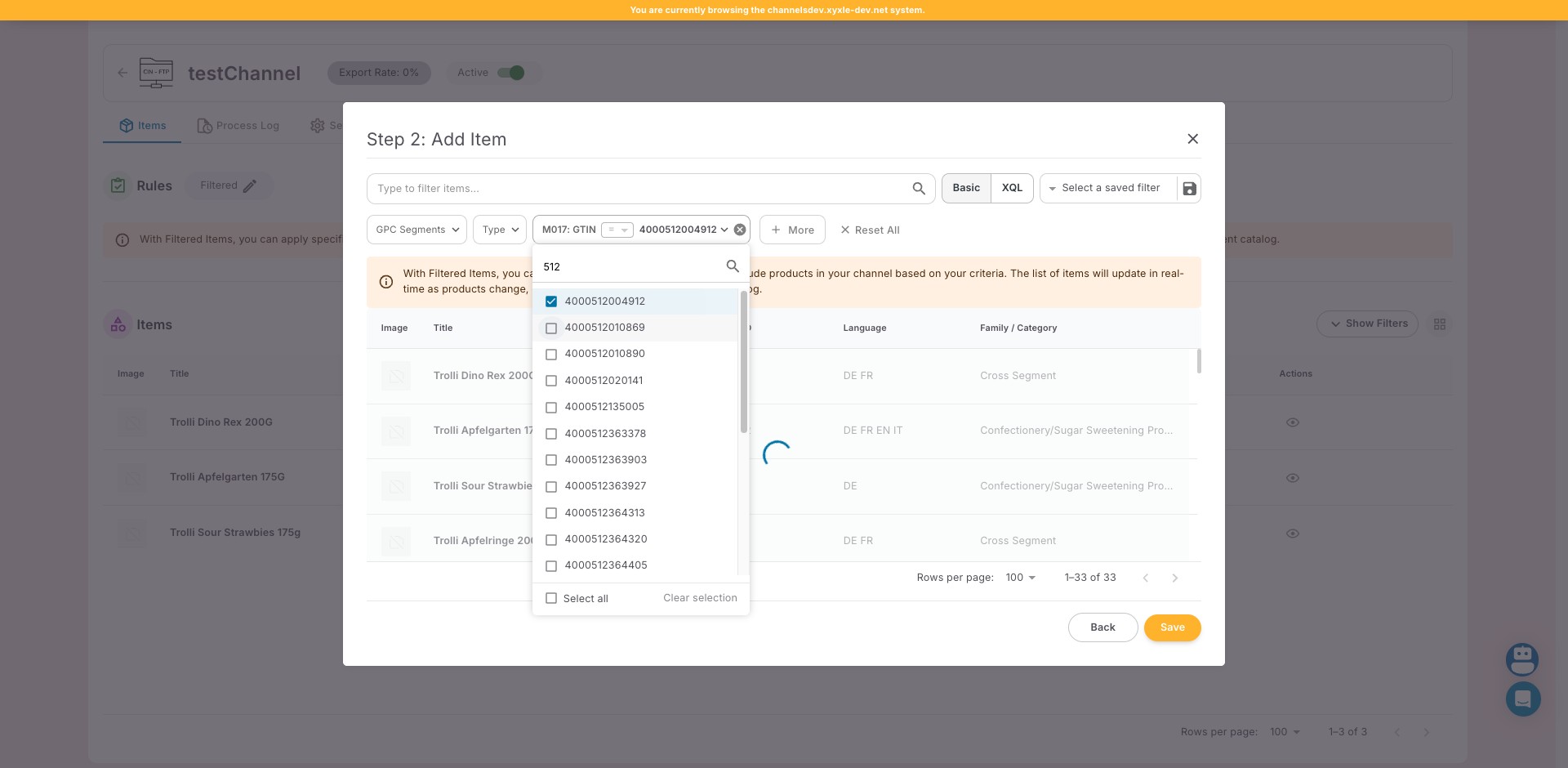
Click here

Click here
17

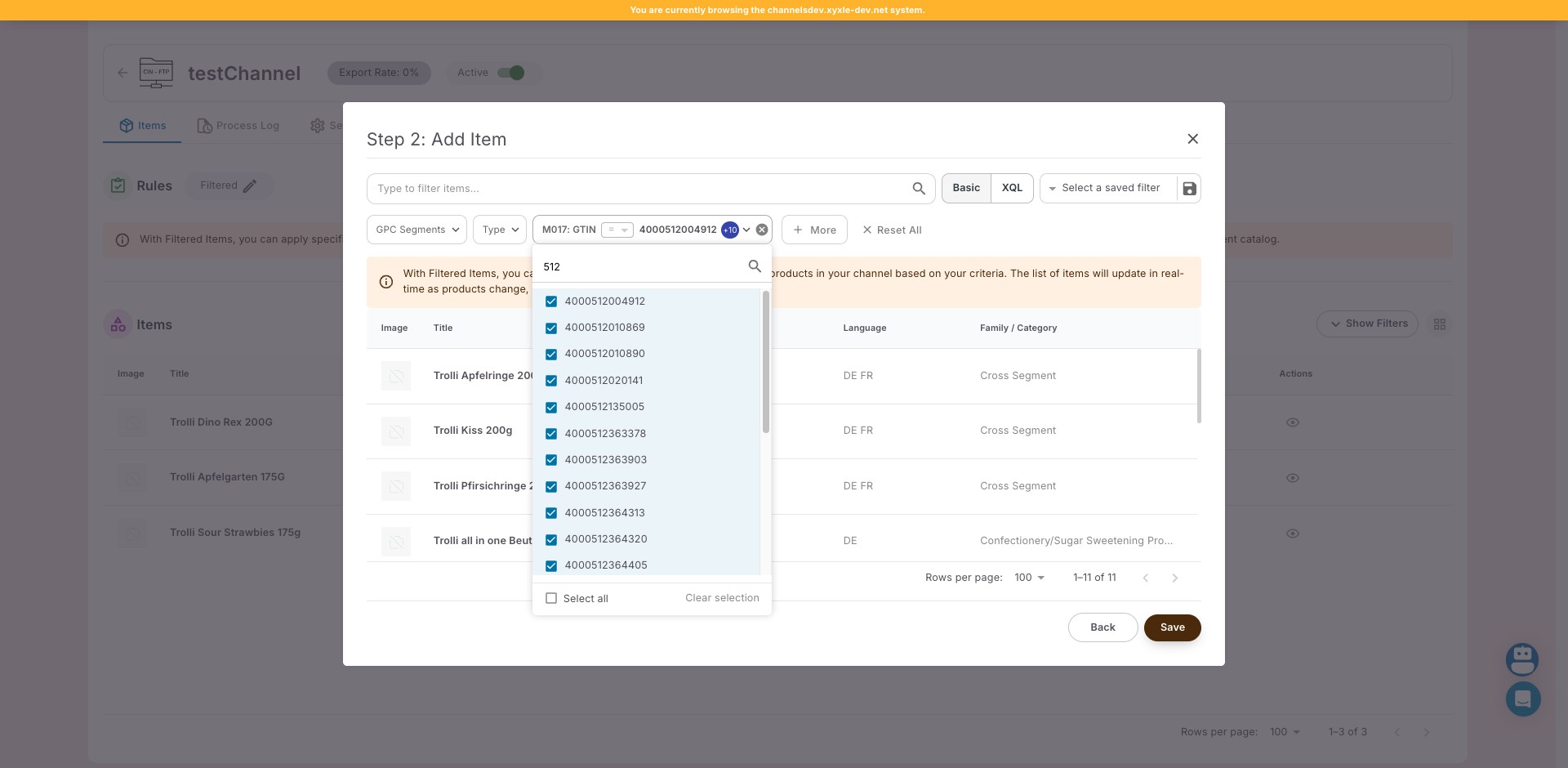
Click here

Click here
18

Click on "Save"

Click on "Save"
19

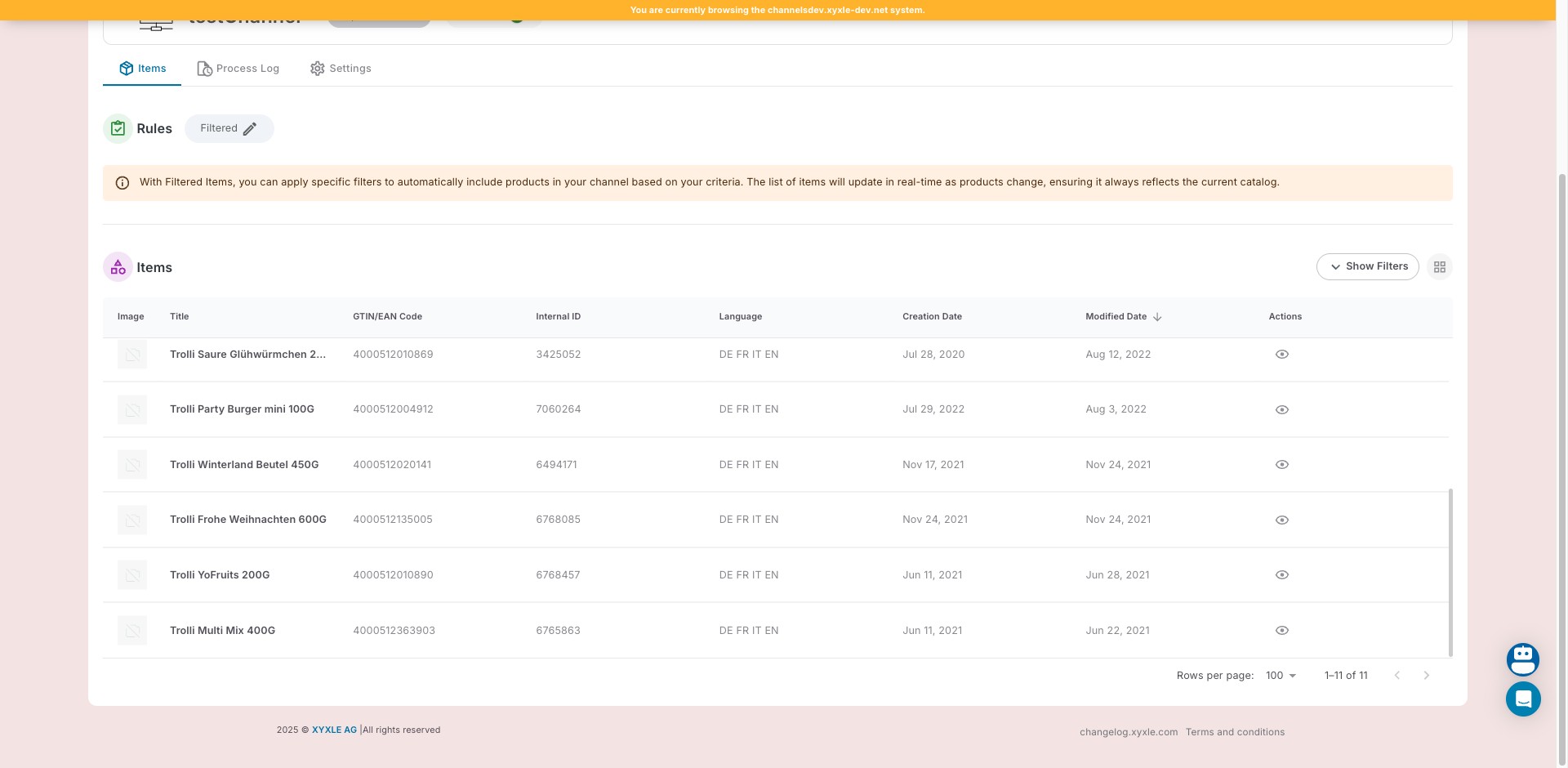
Click on "Process Now"

Click on "Process Now"
20

Click on "Filtered"

Click on "Filtered"
21

Click on "This option automatically includes all products cu"
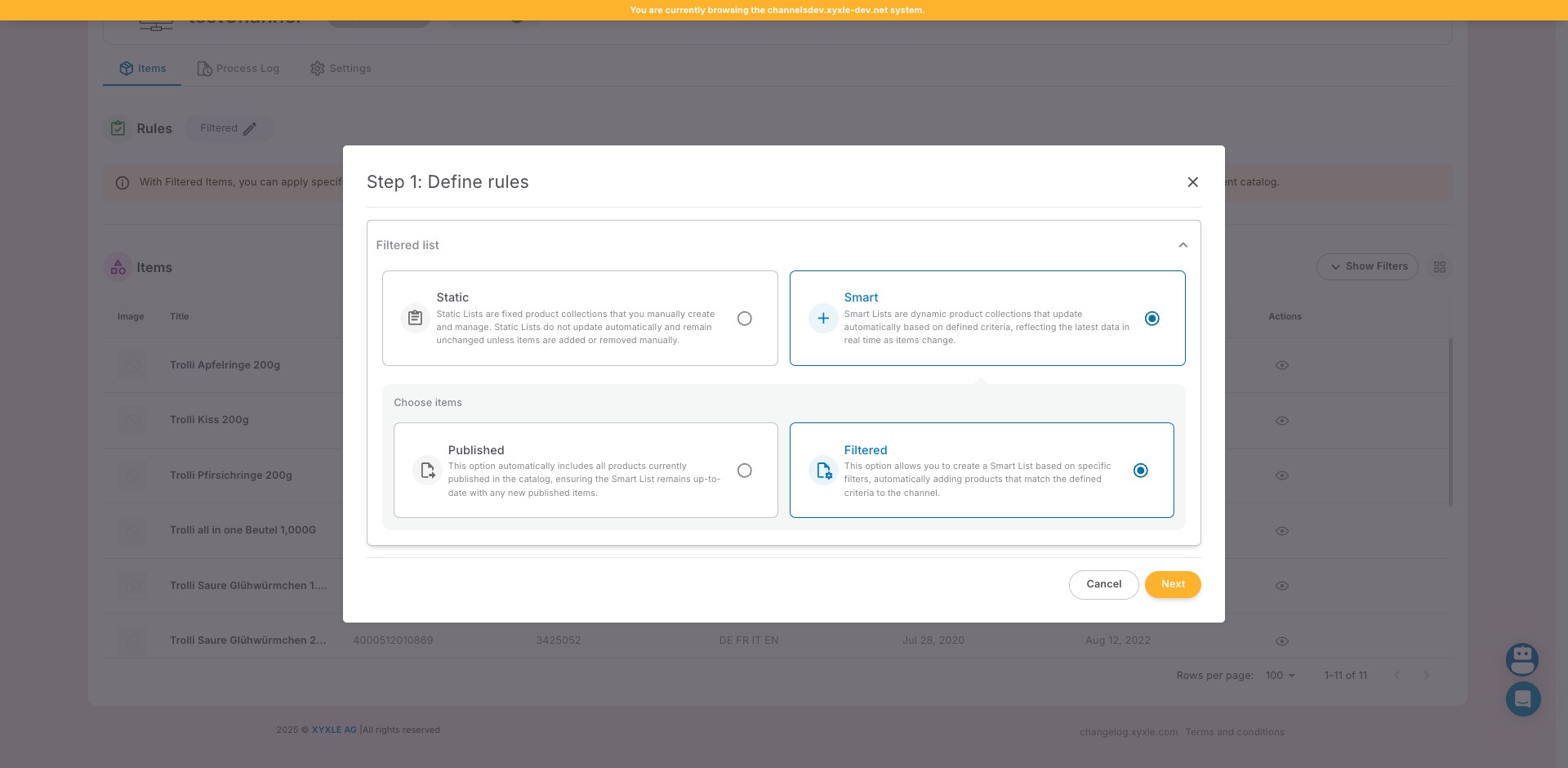
Click on "This option automatically includes all products cu"
22

Click on "Next"

Click on "Next"
23

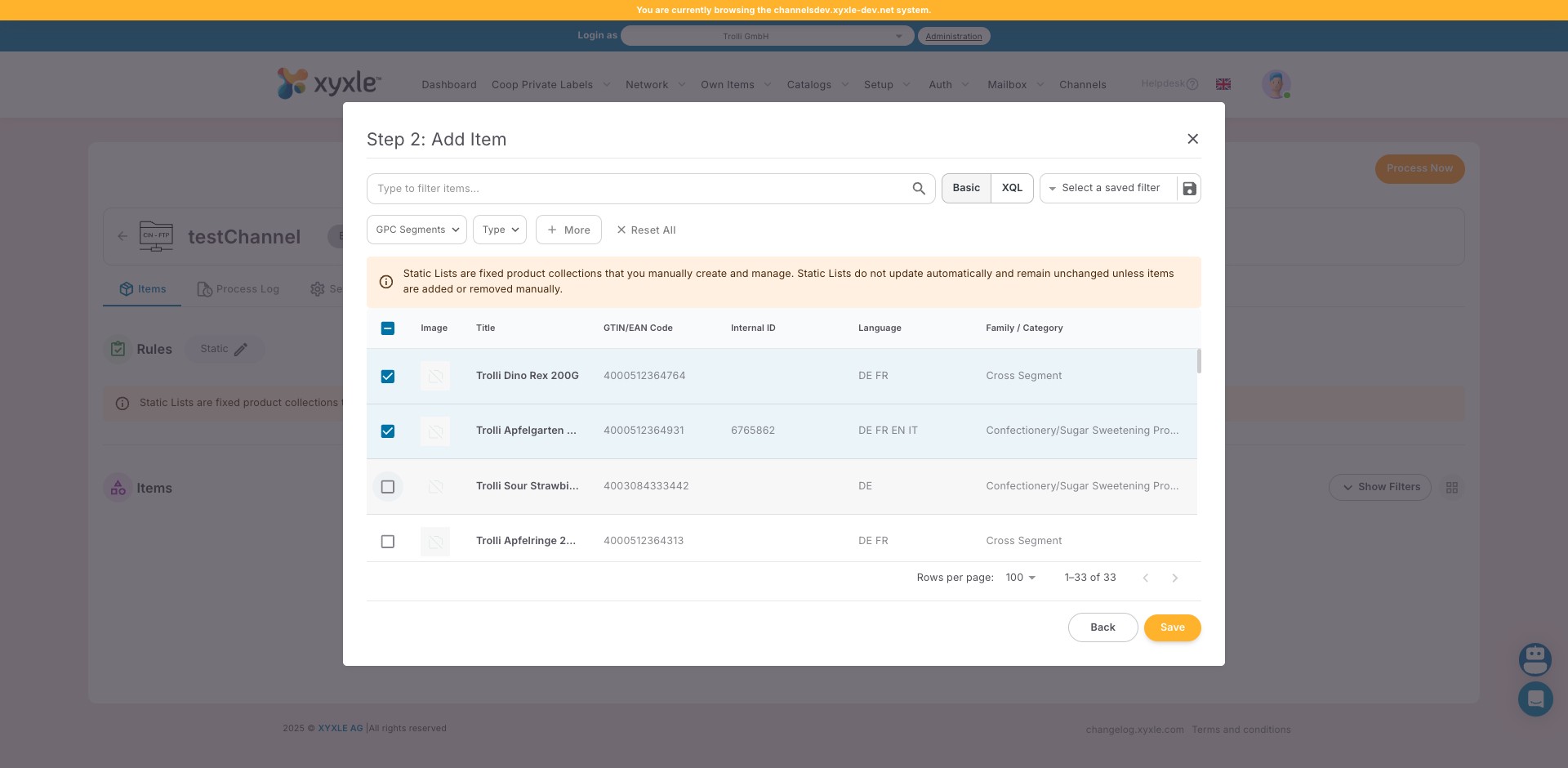
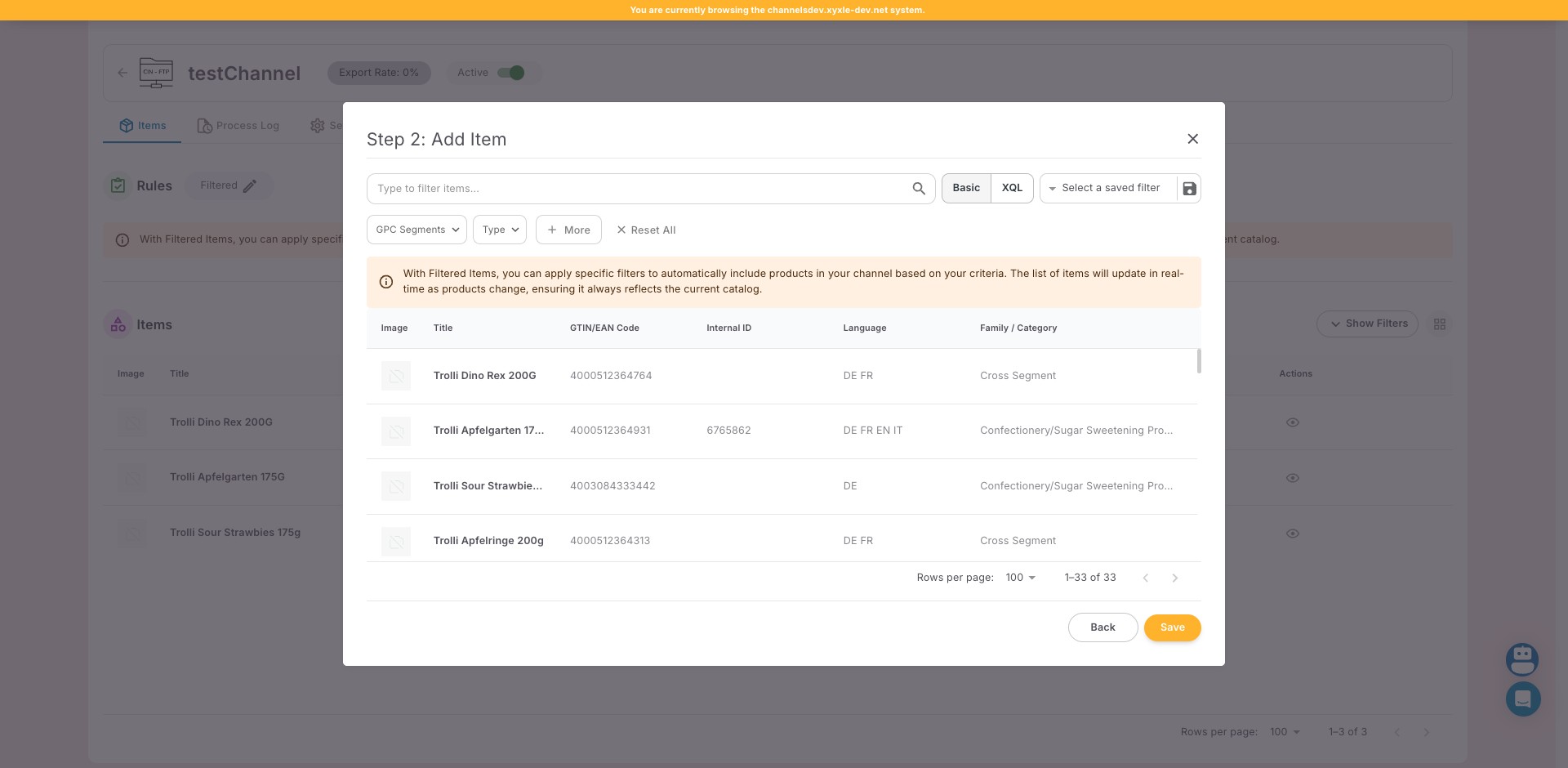
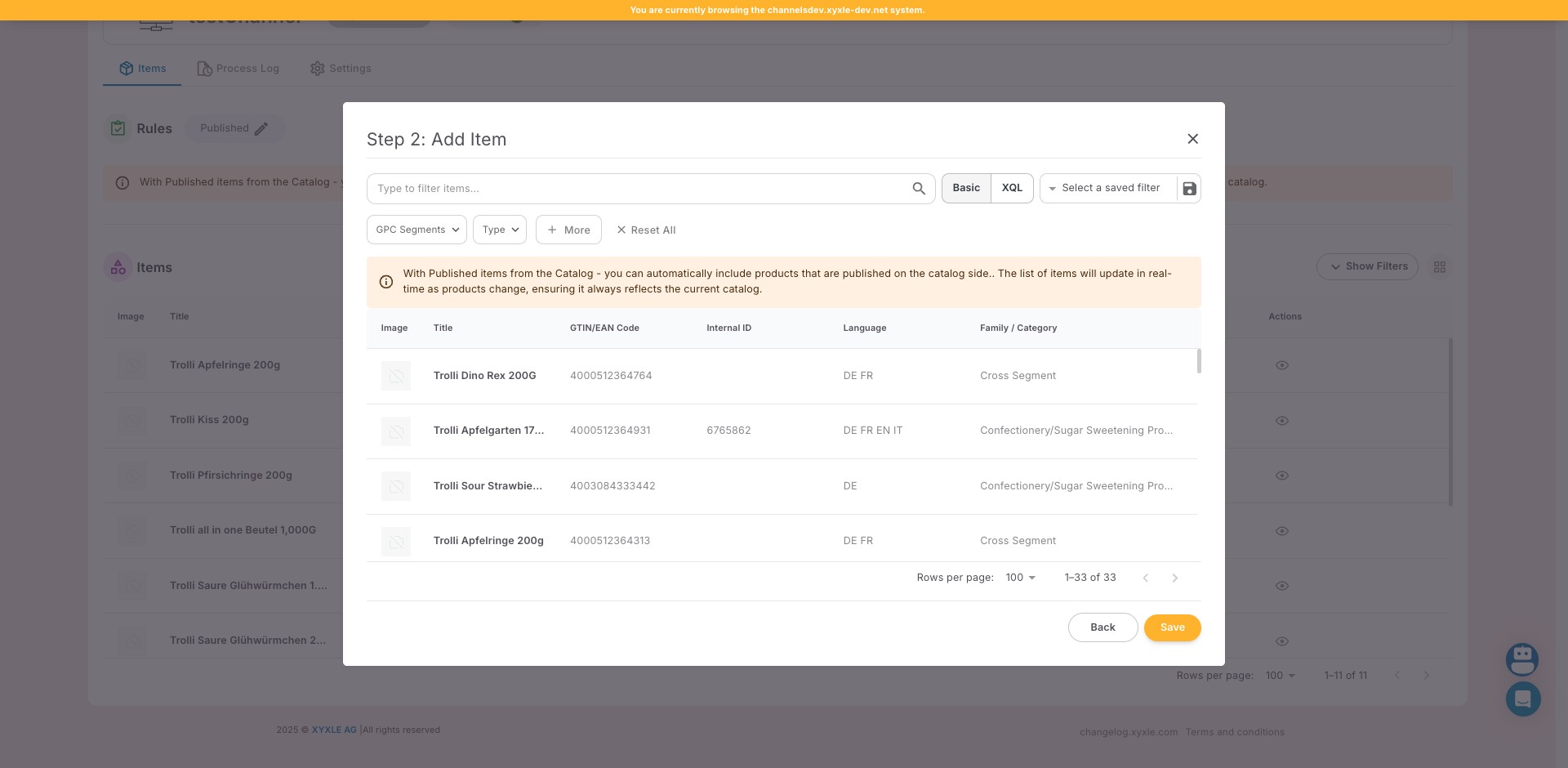
Click on "1–33 of 33"

Click on "1–33 of 33"
24

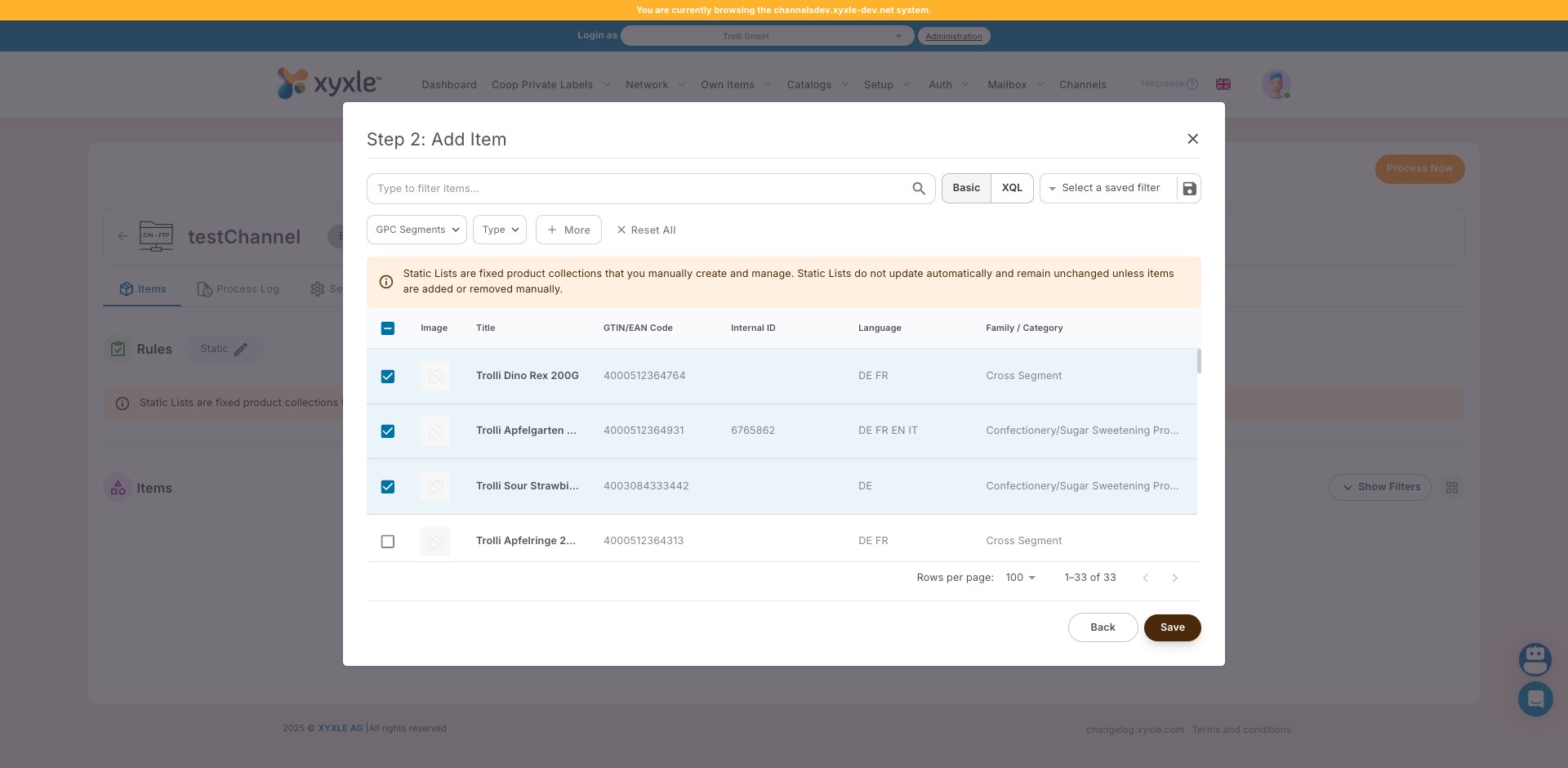
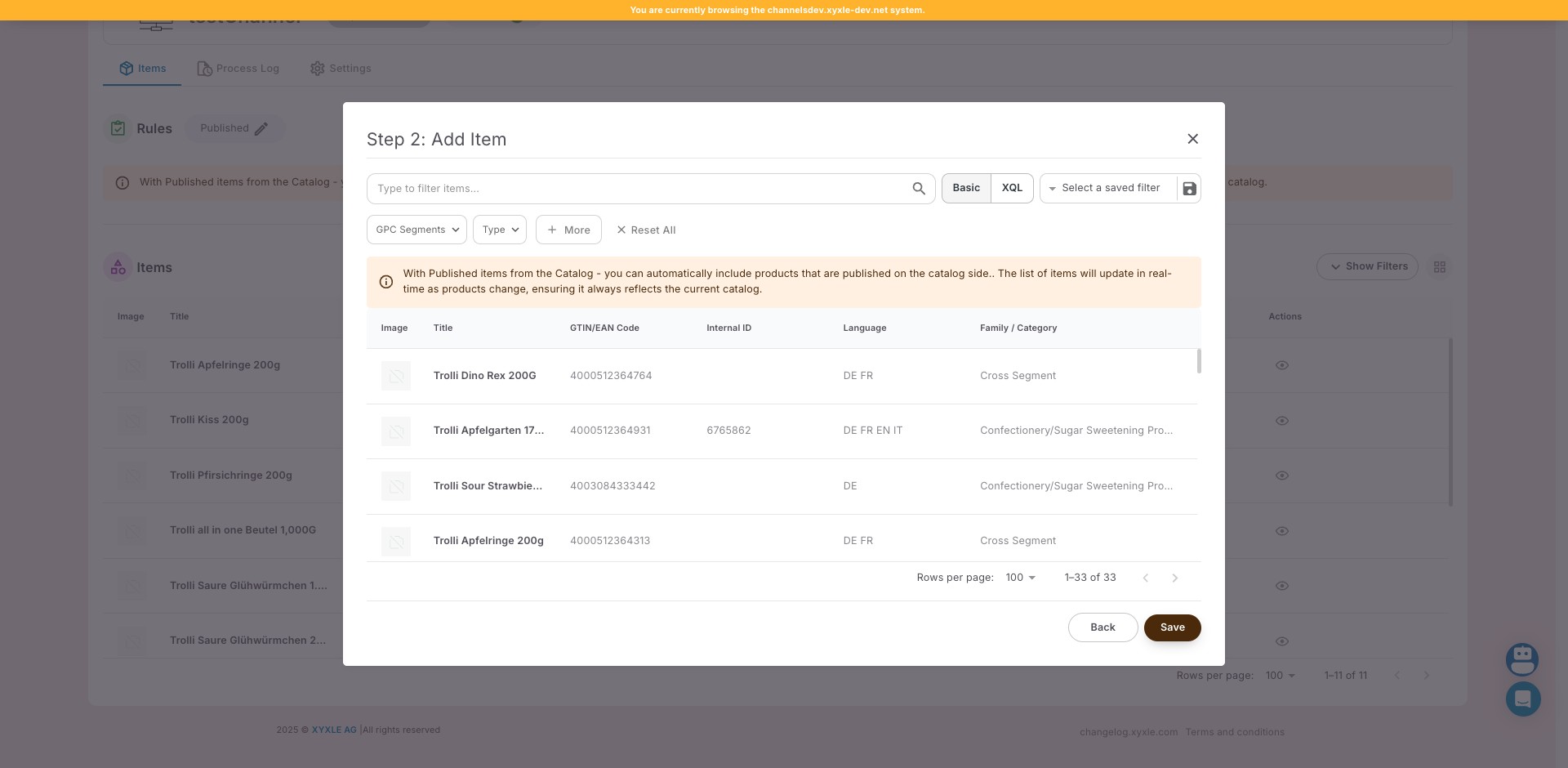
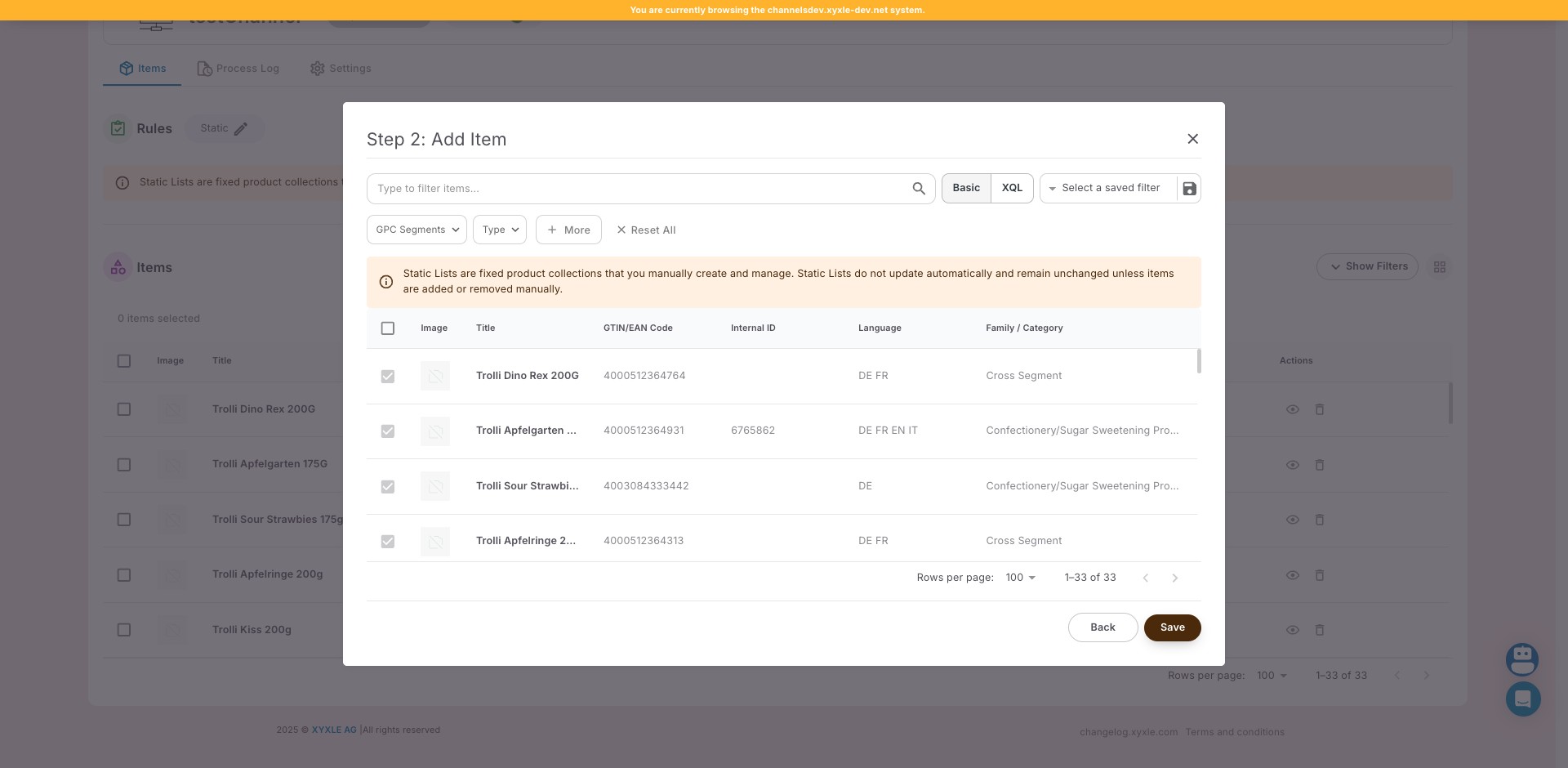
Click on "Save"

Click on "Save"
25

Click on "1–33 of 33"

Click on "1–33 of 33"
26

Click this icon

Click this icon
27

Click on "Static Lists are fixed product collections that yo"
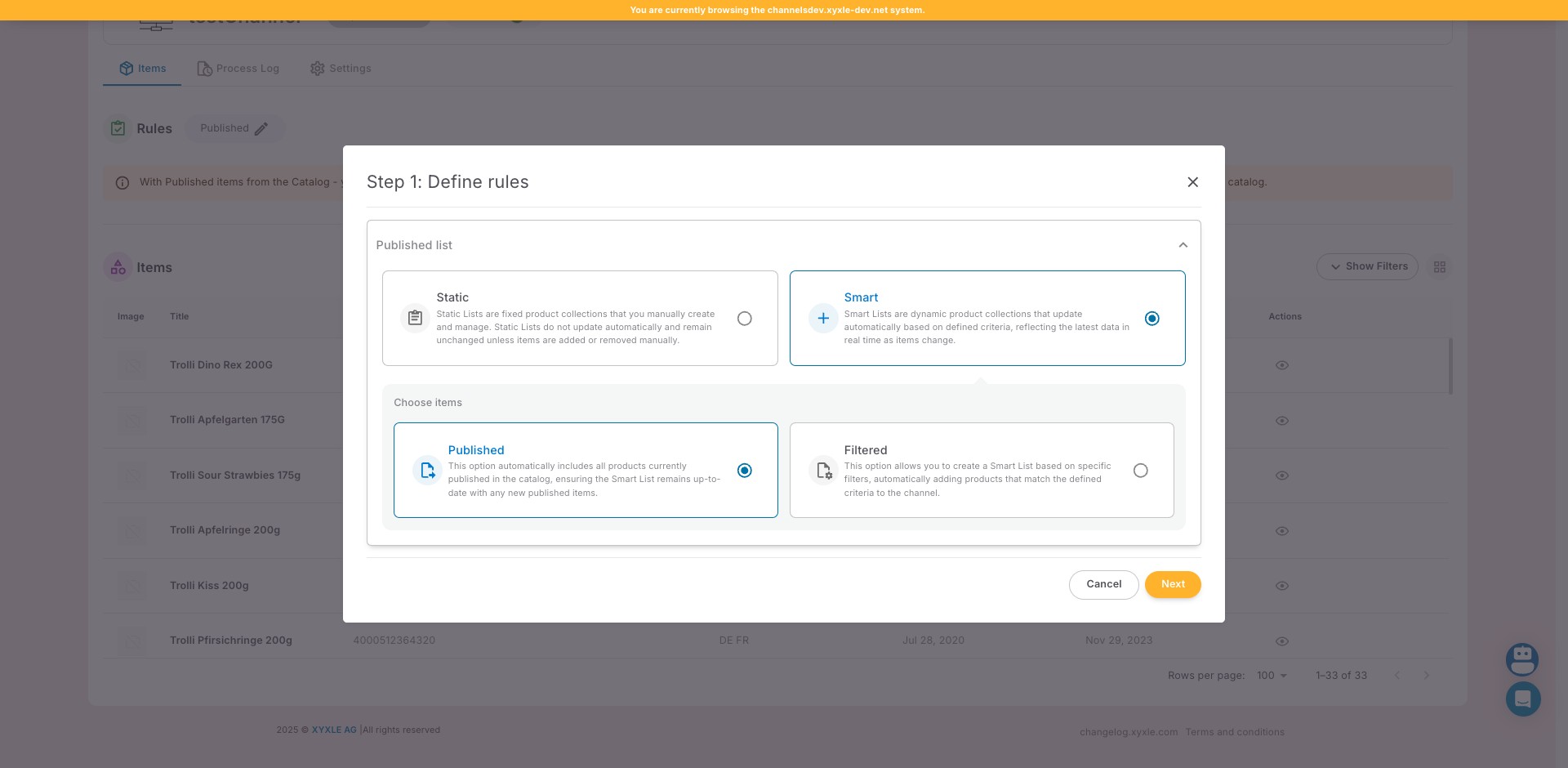
Click on "Static Lists are fixed product collections that yo"
28

Click on "Next"

Click on "Next"
29

Click this icon

Click this icon
30

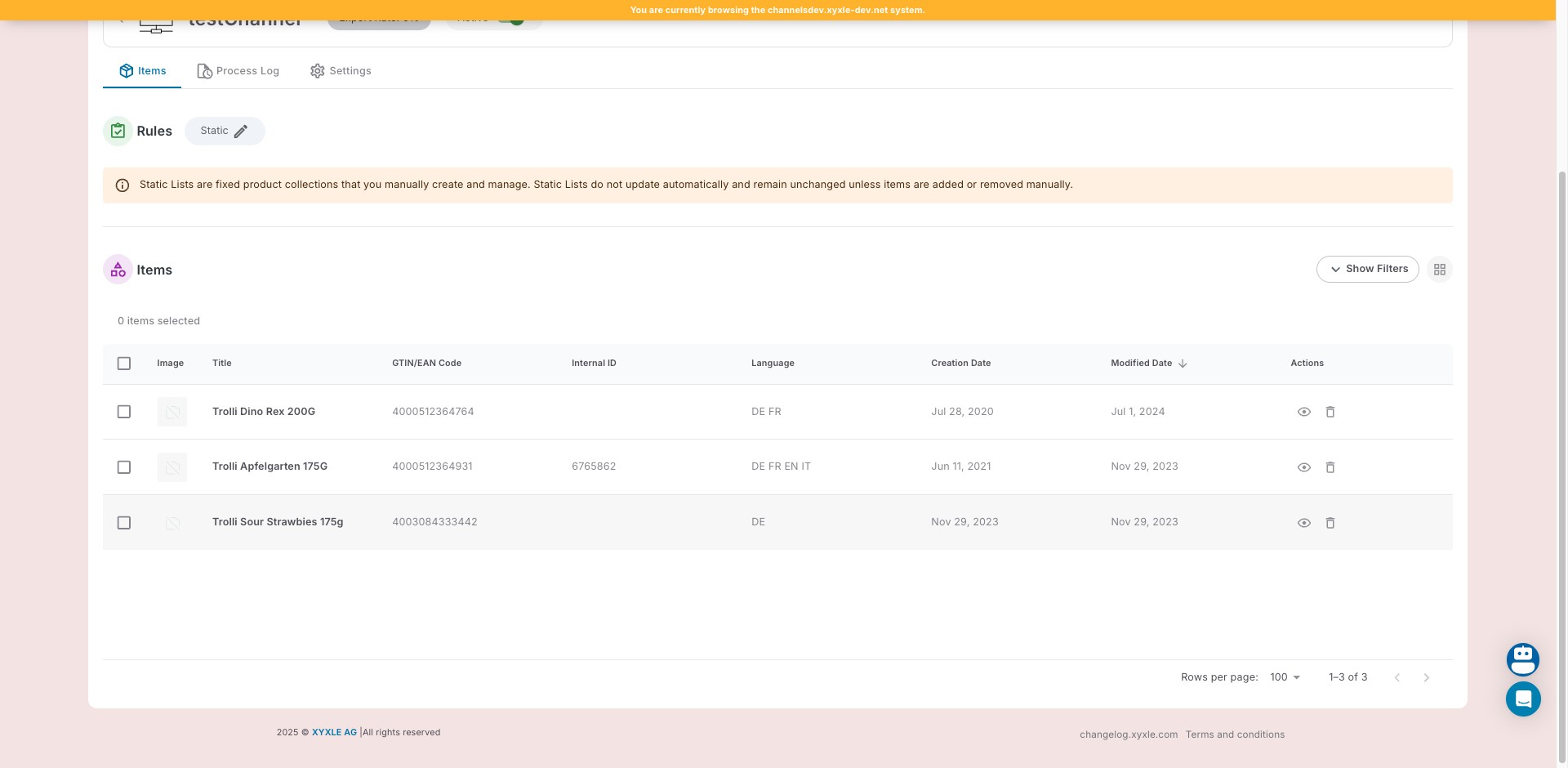
Click on "Save"

Click on "Save"
31

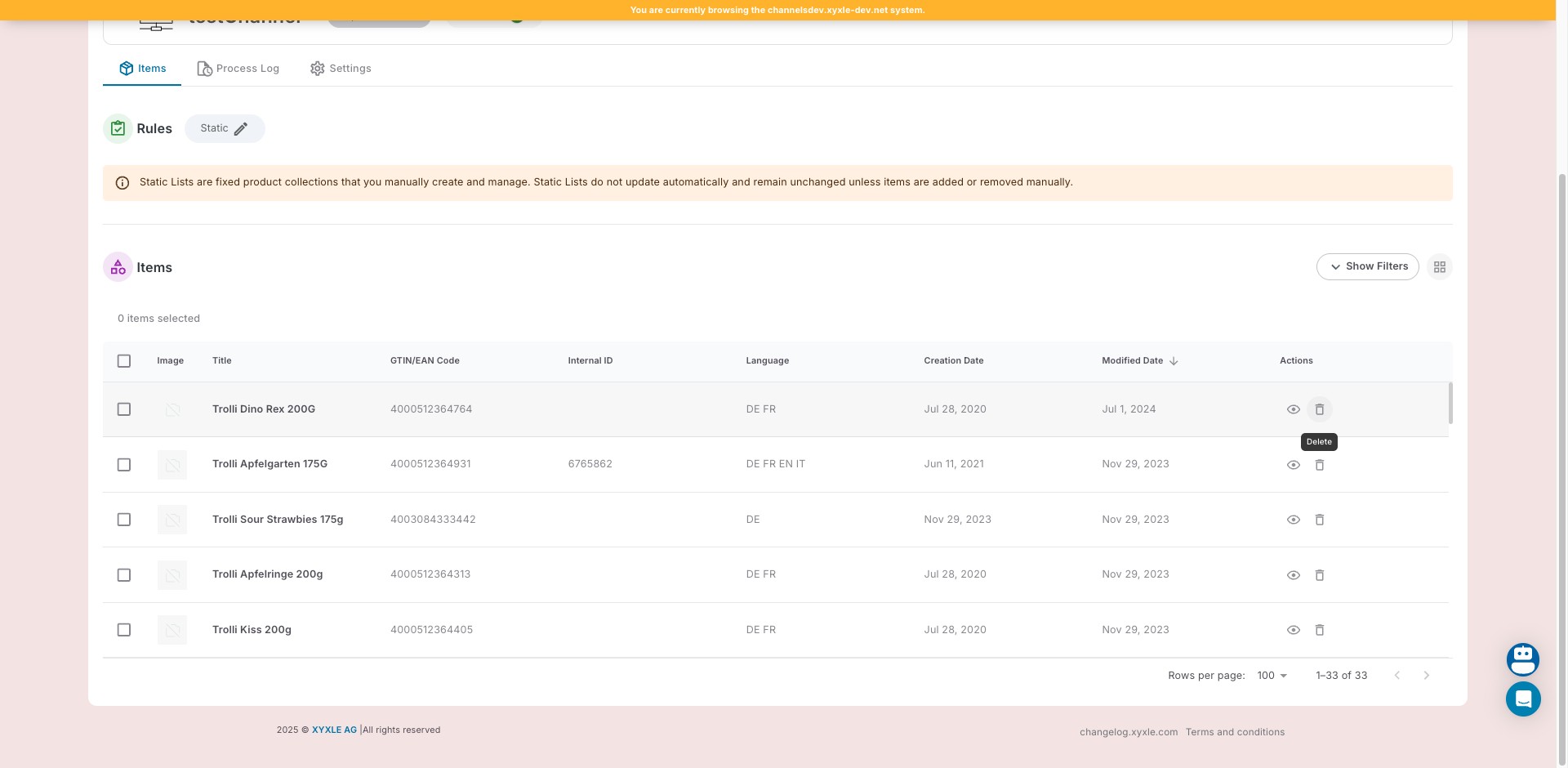
Click this icon

Click this icon
32

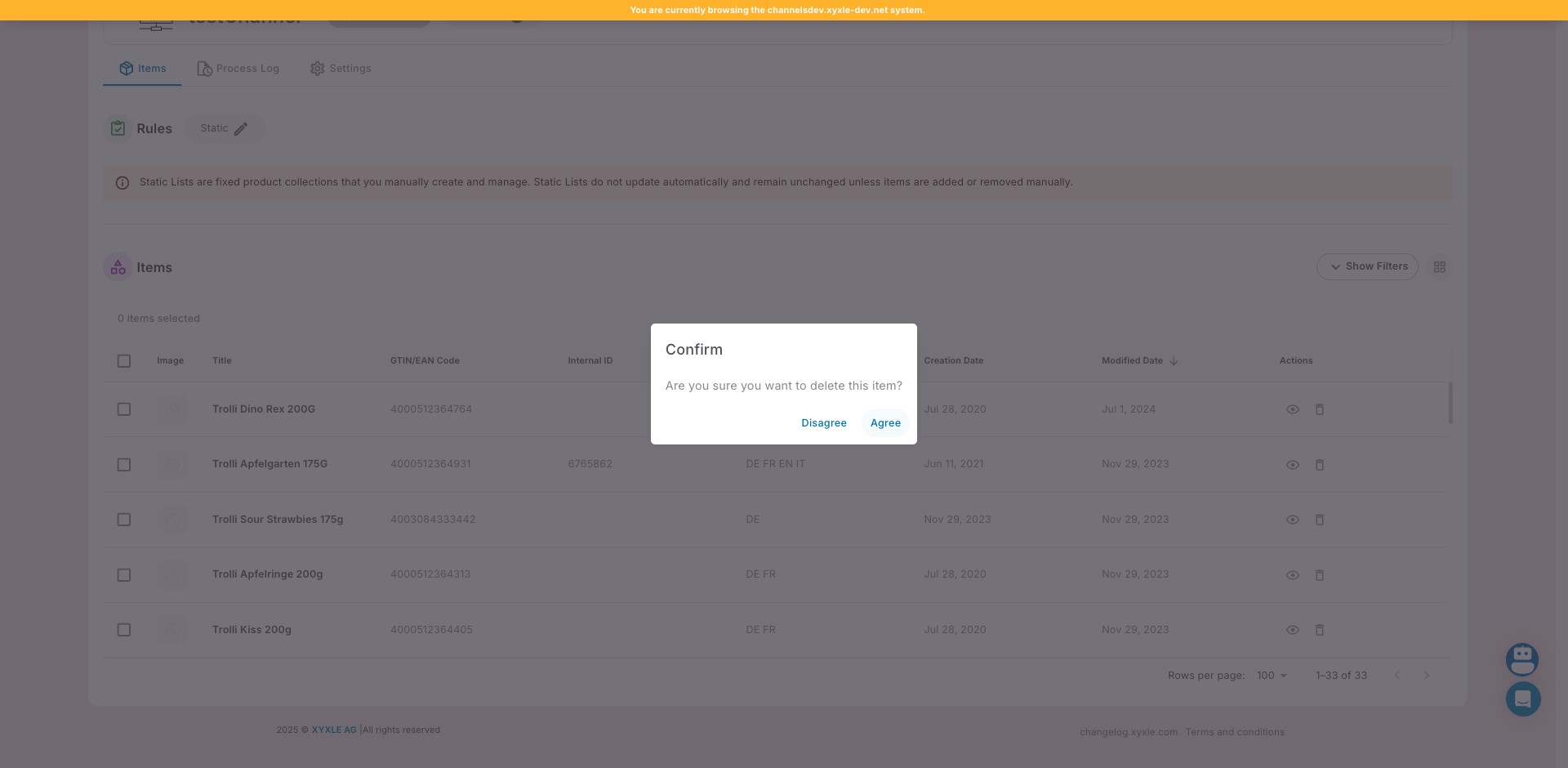
Click on "Agree"

Click on "Agree"
33

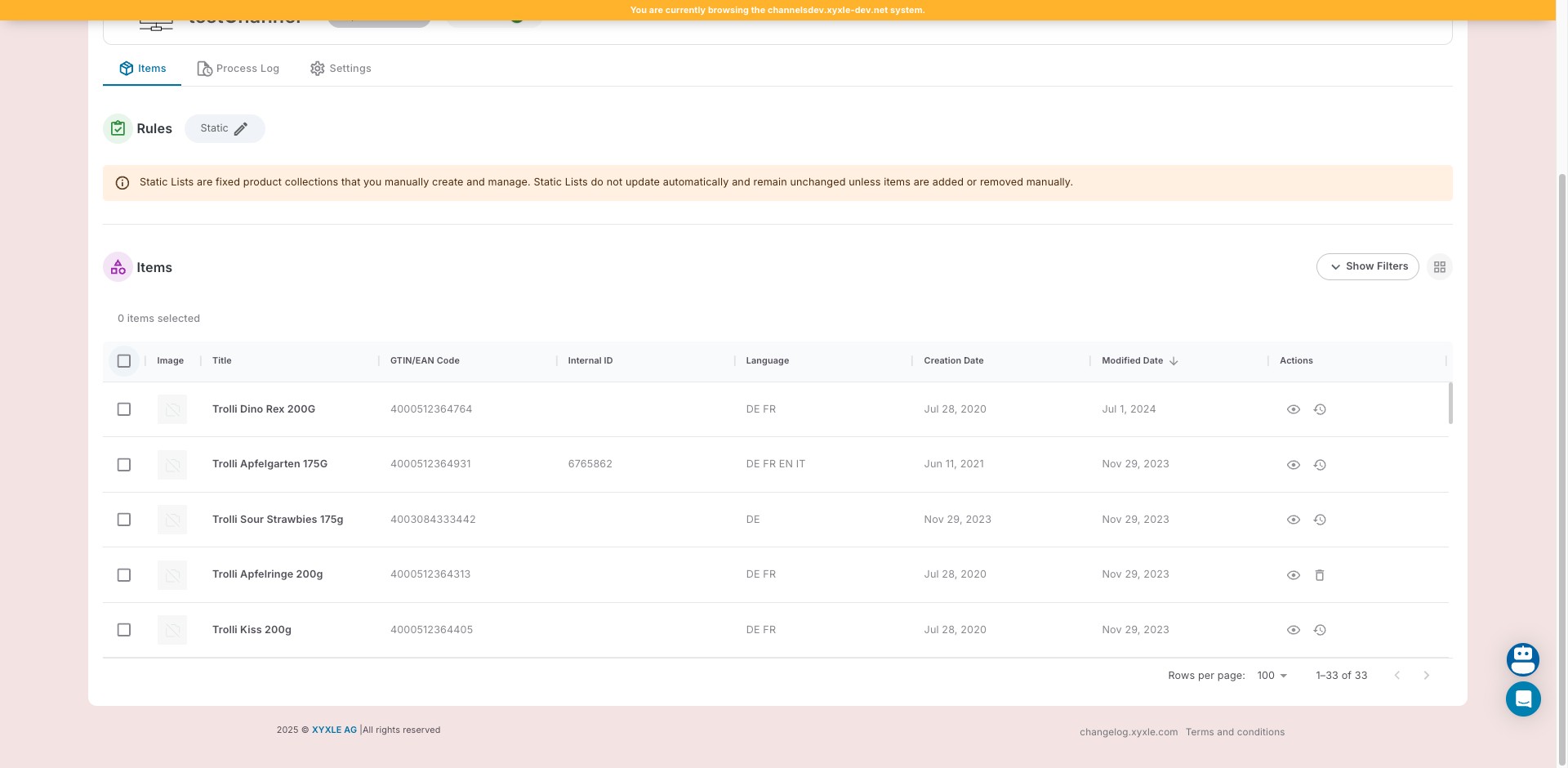
Click here

Click here
34

Click this icon

Click this icon
35

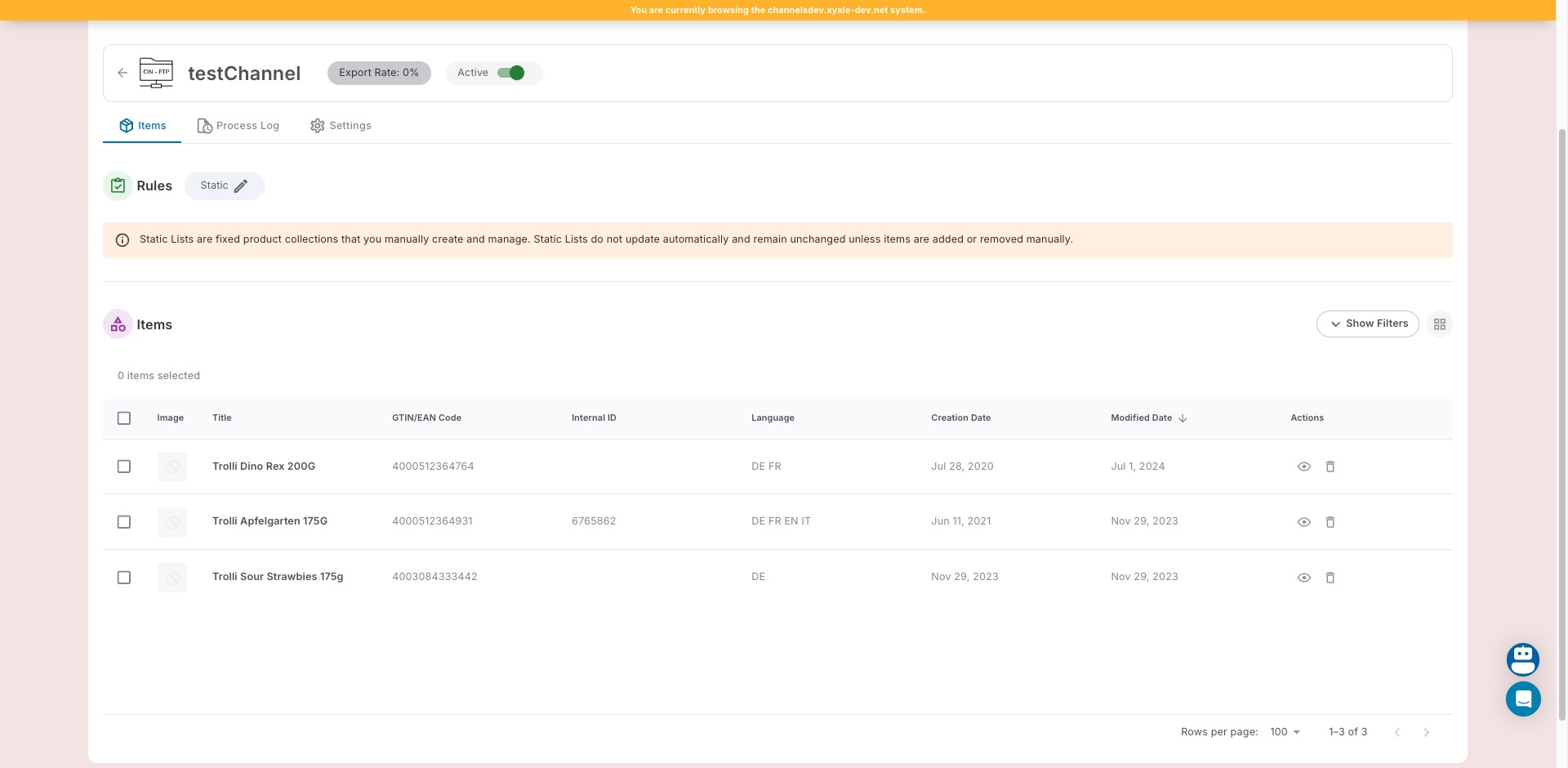
Done 🚀

Done 🚀